This question lands in my inbox fairly often, almost always from someone who is already doing support over email and WhatsApp and is tired of explaining the same thing four times a day. They want a place that looks like their company, where the customer finds the answer alone, opens a ticket when they can't, and follows what happened next. And they want it to feel like part of the website, not a generic vendor page.
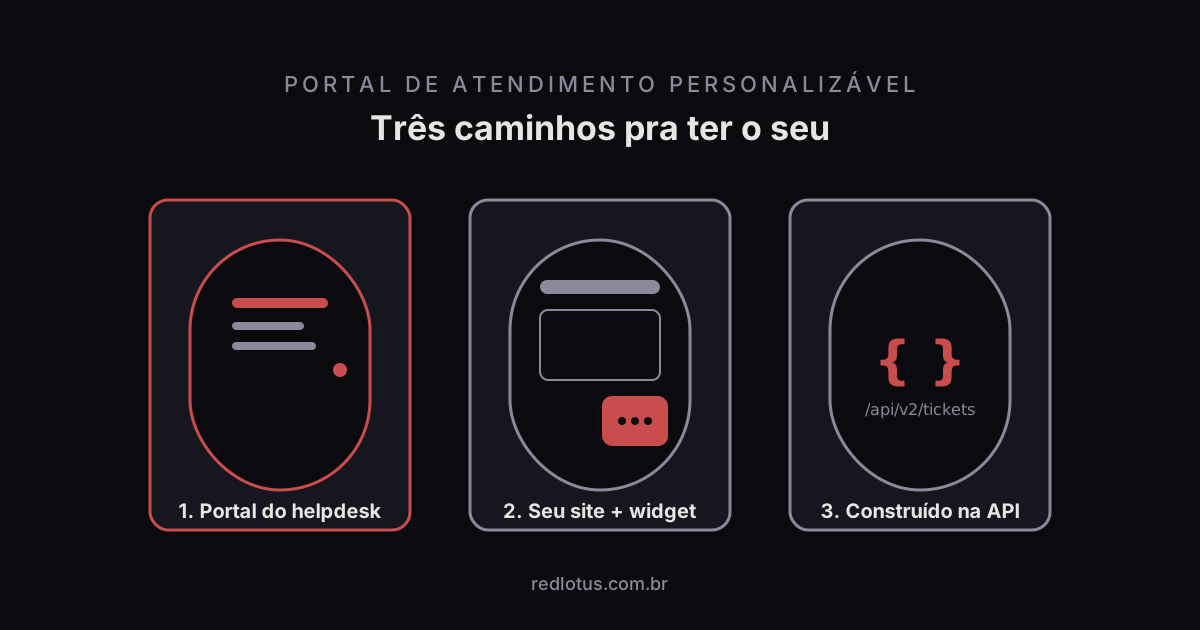
The good news is that this product already exists, and you are probably paying for it without knowing. Every helpdesk that takes itself seriously ships a portal alongside the ticket inbox. What changes from one to the next is how far the customization goes and which plan unlocks it. There are three routes to get there, and what follows is what I tell people who ask.
Route 1: the portal that comes with the helpdesk
Freshdesk, Freshservice and Zendesk hand you a working portal the day you create the account. It starts on a vendor subdomain, with a default theme and an empty knowledge base. The job is to make it look like yours, and the list of what you can change is longer than most people expect:
- Your own domain. The portal answers at
help.yourcompany.com, with a certificate, instead of the vendor's address. - Brand. Logo, favicon, primary colors and font, picked in a settings panel, no code.
- Theme in HTML and CSS. When the panel isn't enough, the theme is editable. Header, footer, home page, article page: each has its own template and takes whatever CSS you want.
- Article structure. Categories, folders and articles with control over who sees what. An article can be public, for logged-in customers only, or for one specific group.
- Conditional forms. The ticket form changes with what the customer picks. Choose "problem with an order" and the order number field appears. Choose "question" and it doesn't.
- Logged-in area. The customer creates an account or signs in through SSO, sees their tickets, replies right there and follows the status without emailing to ask.
- Multiple portals. One per brand, per country or per product, each with its own domain and look, all landing in the same operation.
The catch is that the deepest customization sits on the higher plans. On Freshdesk, for example, the Growth plan already includes a knowledge base and a portal, but your own domain and multiple portals start on Pro. Before you sign, check which plan carries each item on the list above, because the price of "I just want my domain on the portal" can be the gap between two plans.
Who it suits: the vast majority. If your operation runs on tickets and wants a professional portal in weeks, this is where you start.
Route 2: the portal on your site, with the helpdesk behind it
The second option is to keep the portal on your own site or CMS and embed the helpdesk pieces in it. You build the "Help center" page in WordPress, Webflow or whatever you use, and drop the helpdesk's support widget and knowledge base into it. The widget opens the form and the chat, the knowledge base can be embedded or pulled through the API, and the ticket lands in the same queue as always.
The upside is total visual freedom: it's your site, with your design system, your menu and your SEO. The portal stops feeling like an island.
The catch is that you now have two systems to keep aligned. The article you update in the helpdesk has to show up updated on the site. The category that changes name has to change in both places. And the logged-in area, where the customer follows their tickets, still lives in the helpdesk portal, because rebuilding that in the CMS is already route 3.
Who it suits: companies with a strong website, a marketing team that looks after it, and a knowledge base that doesn't change every week.
Route 3: the portal built on the API
The third route is to write the portal from scratch, using the helpdesk API as the back end. Freshdesk, Freshservice and Zendesk expose through the API everything their portal does: create a ticket, list a contact's tickets, reply, search articles, attach files. You build whatever interface you want and talk to the helpdesk behind it.
When is it worth it? In two situations I see often. The first is when support has to live inside your application: the customer is already logged into your product, and opening a new tab to ask for help breaks the experience. The second is when the logged-in area has to show data that isn't in the helpdesk. Order status in the ERP, open invoice in billing, current contract: the ready-made portal knows none of that, and your own portal can bring it all onto one screen.
The catch is cost, and not just the cost of building. A custom portal is a software product, and a software product needs maintenance forever. The API changes version, the browser changes, the privacy law changes, someone on the team leaves and takes the knowledge with them. If you don't have a development team that will still be looking after this three years from now, this route turns into debt.
Who it suits: software companies with their own product, or operations where the customer needs to see data from several systems in one place.
The three routes side by side
| Helpdesk portal | Your site + helpdesk | Built on the API | |
|---|---|---|---|
| Time to launch | Days to a few weeks | Weeks | Months |
| Cost | The plan's licence | Licence + web hours | Licence + development + maintenance |
| Brand freedom | High, within the theme | Total on public pages | Total |
| Logged-in area | Ready, with SSO | Stays in the helpdesk portal | Whatever you design |
| Maintenance | The vendor's | Two systems to align | Yours, forever |
| Who it suits | Most operations | Strong website and a marketing team | Own product and a dev team |
What to evaluate before you sign
Whichever route you take, the portal only works when its five layers work together: knowledge base, chatbot, form, logged-in area and ticket tracking. I broke down each one, and the QA checklist to run before publishing, in another article here on the blog. If you're comparing vendors, take that list to the demo and ask to see each layer working, not just the pretty theme.
Here at Red Lotus, an authorized Freshworks partner in São Paulo, the most common request is route 1 with a pinch of route 2: the Freshdesk portal on the company's domain, the theme tuned to match the website, and the widget embedded on the pages where customers tend to get stuck. If that's your case, or if you're unsure which plan covers what you need, a Freshworks implementation partner settles it in one conversation. That's what we do.
FAQ
Can I use my own domain on the Freshdesk portal?
Yes. The portal answers on a subdomain of yours, such as help.yourcompany.com, with an SSL certificate. On Freshdesk, your own domain is available from the Pro plan up; on Growth the portal stays on the vendor's address.
Can the portal be in Portuguese and English?
It can. The portals of the main helpdesks are multilingual: you pick the supported languages, translate the articles and the interface strings, and each customer sees their own version. Translating the articles is your work, but the structure and the language switch come ready.
Do I need a developer to customize the portal?
For logo, colors, domain, forms and article structure, no. All of that is settings. To edit the theme in HTML and CSS or to embed the widget on your site, it helps to have someone who knows front-end, even for a few hours. Only route 3, the portal built on the API, needs a real development team.
How long does it take to get a portal live?
With the helpdesk portal, the visual setup and the domain are done in days. What sets the timeline is content: writing the first articles and designing the forms usually takes two to four weeks in a mid-sized operation. A portal embedded in your site adds a few more weeks of web work. A portal on the API is a project measured in months.
Leandro is the founder of Red Lotus Tecnologia, which specializes in implementing, supporting and evolving Freshdesk for support teams in Brazil.