Every attachment on the ticket, open in one click.
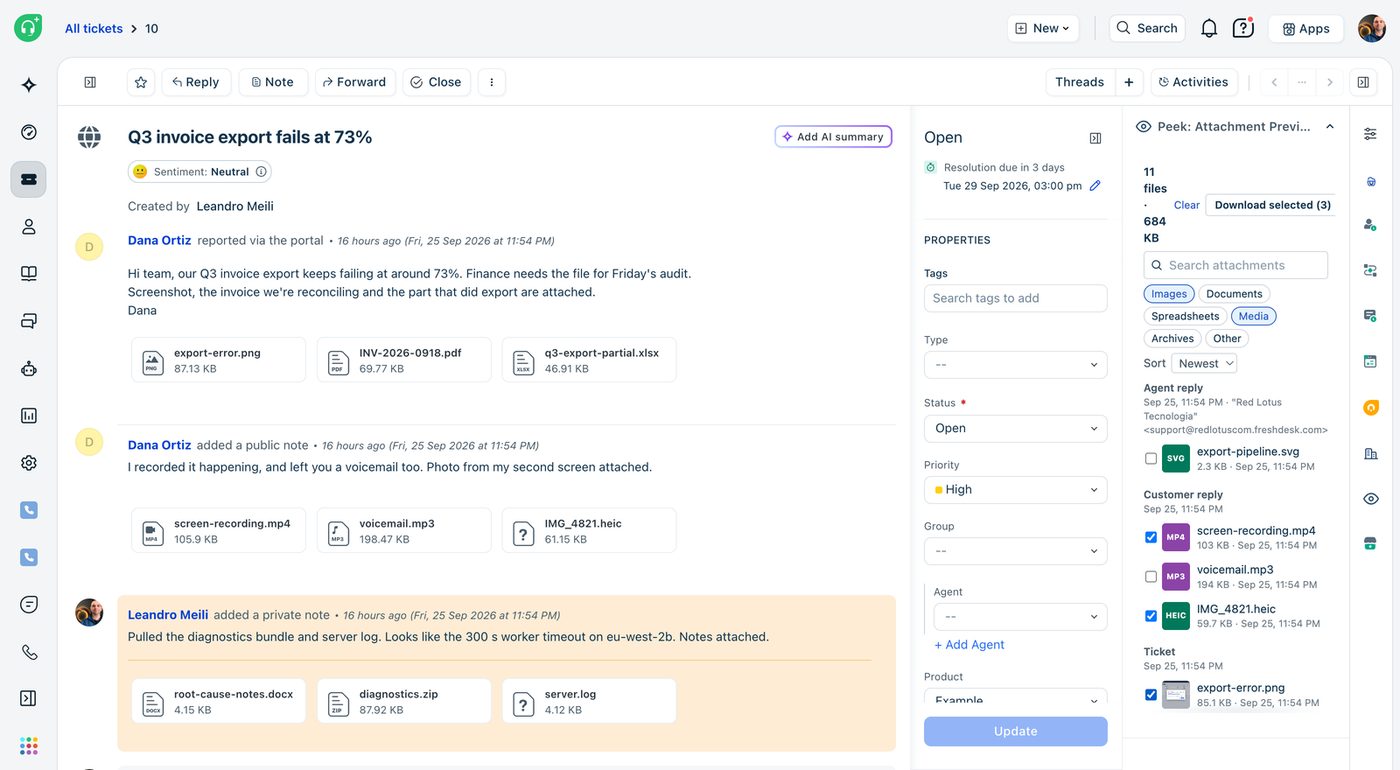
Agents shouldn't have to download a file just to see what's in it. Peek lists every attachment on a ticket in the ticket sidebar: from the description, every reply and note, and service-request item forms. One click opens the file in a full-size viewer inside Freshdesk or Freshservice.
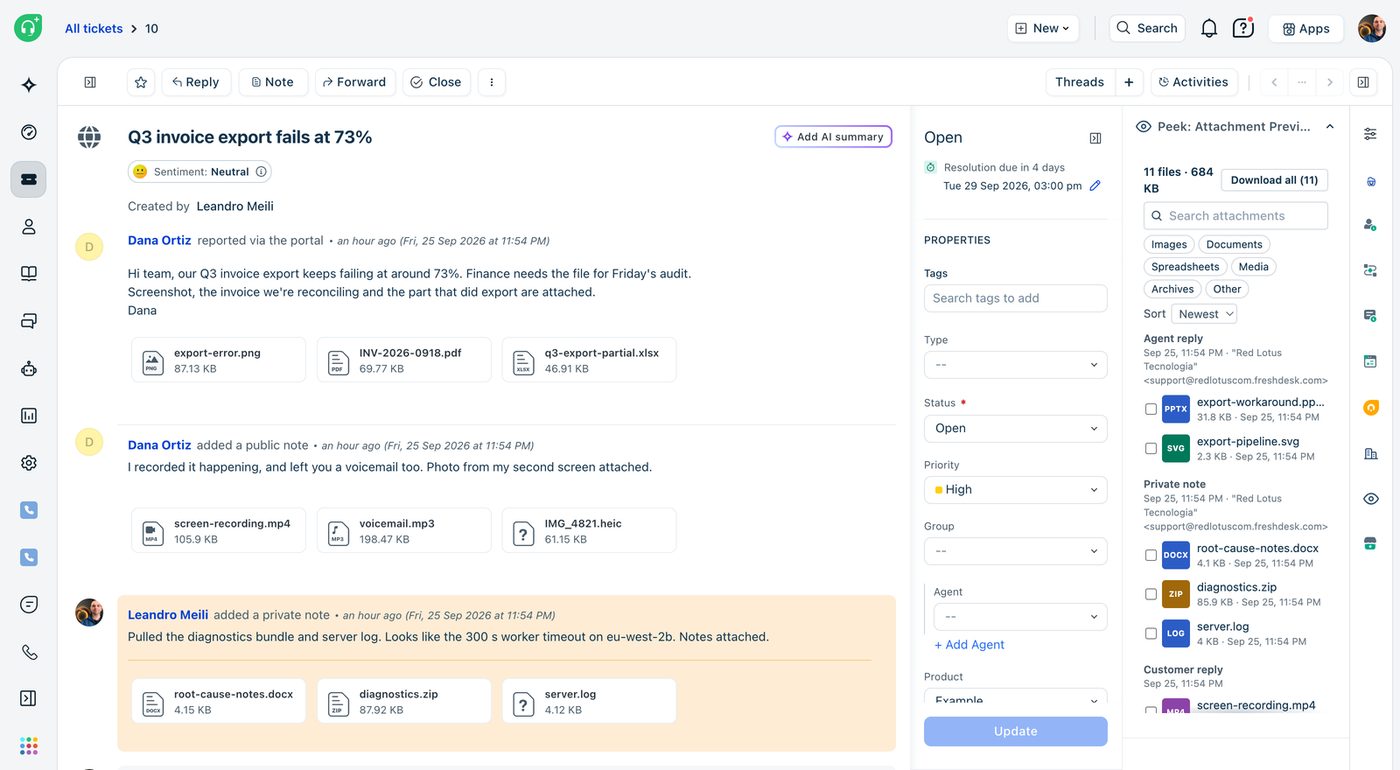
A list in the sidebar, a viewer on top of the ticket.
Peek sits in the ticket sidebar. It reads the ticket, never changes it, and shows the files in the agent's browser.
The list
Files are grouped by where they came from, newest first. On tickets with many files, search, type filters and sorting kick in.
The viewer
One click opens the file at full size. Previous and Next step through every file on the ticket without closing the viewer.
One ZIP
Download all saves the whole list as a single ZIP. Tick some files and it becomes Download selected.
The viewer, file by file.
Screenshots from a test ticket with eleven attachments of different types.
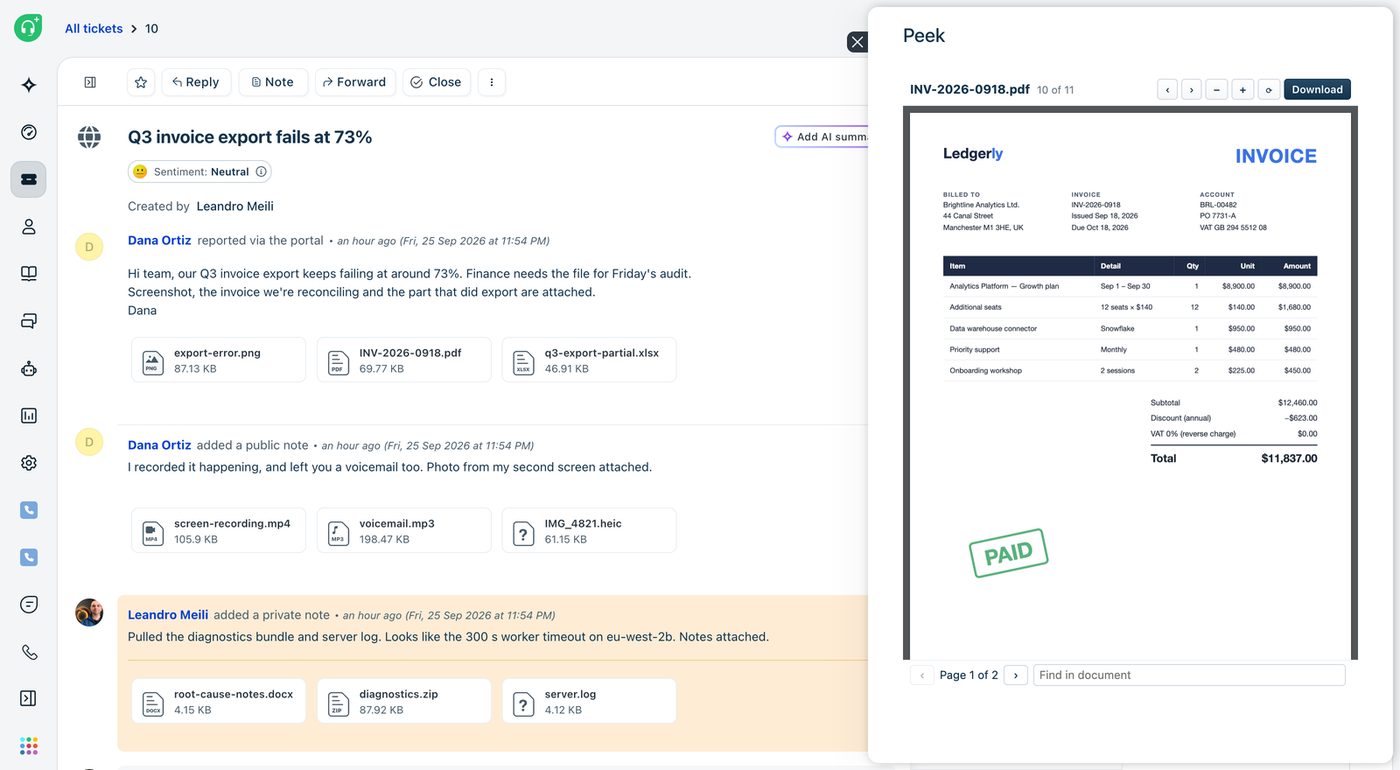
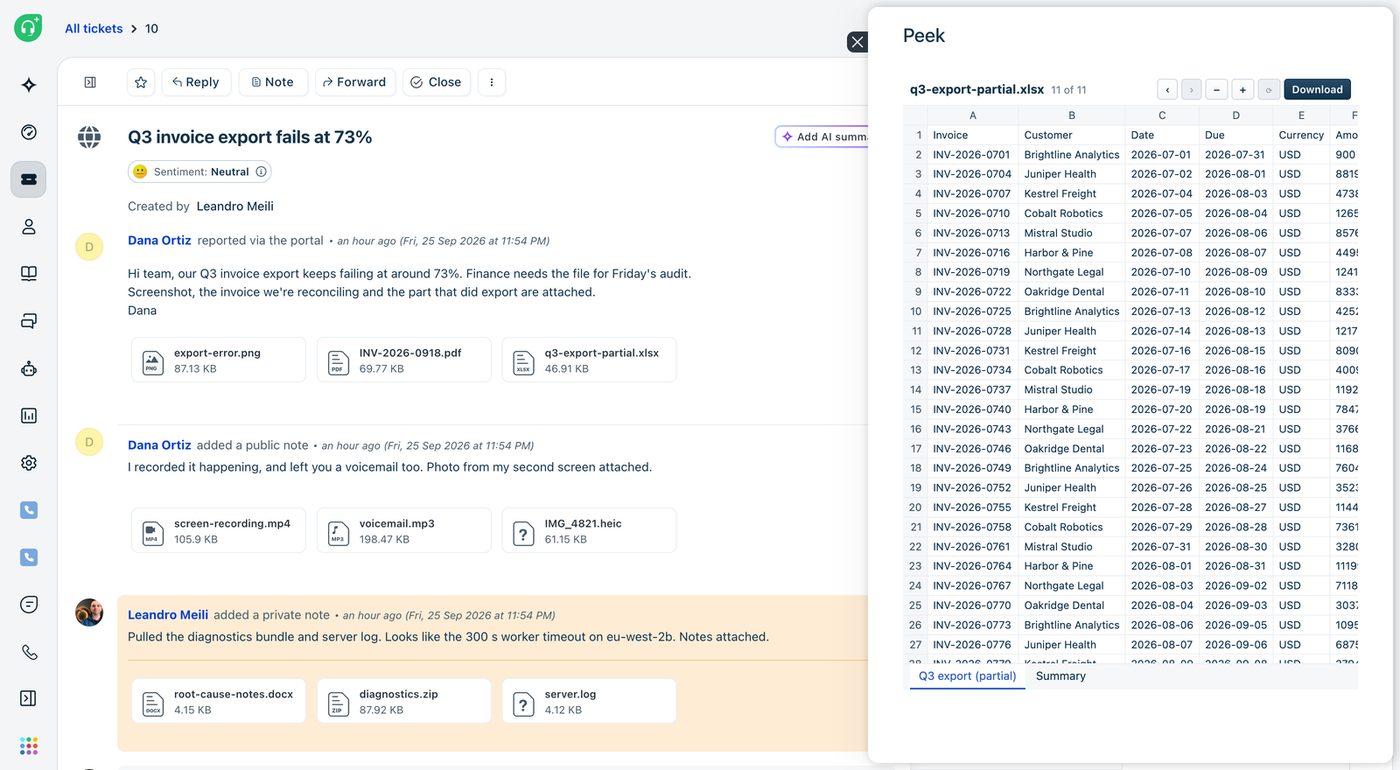
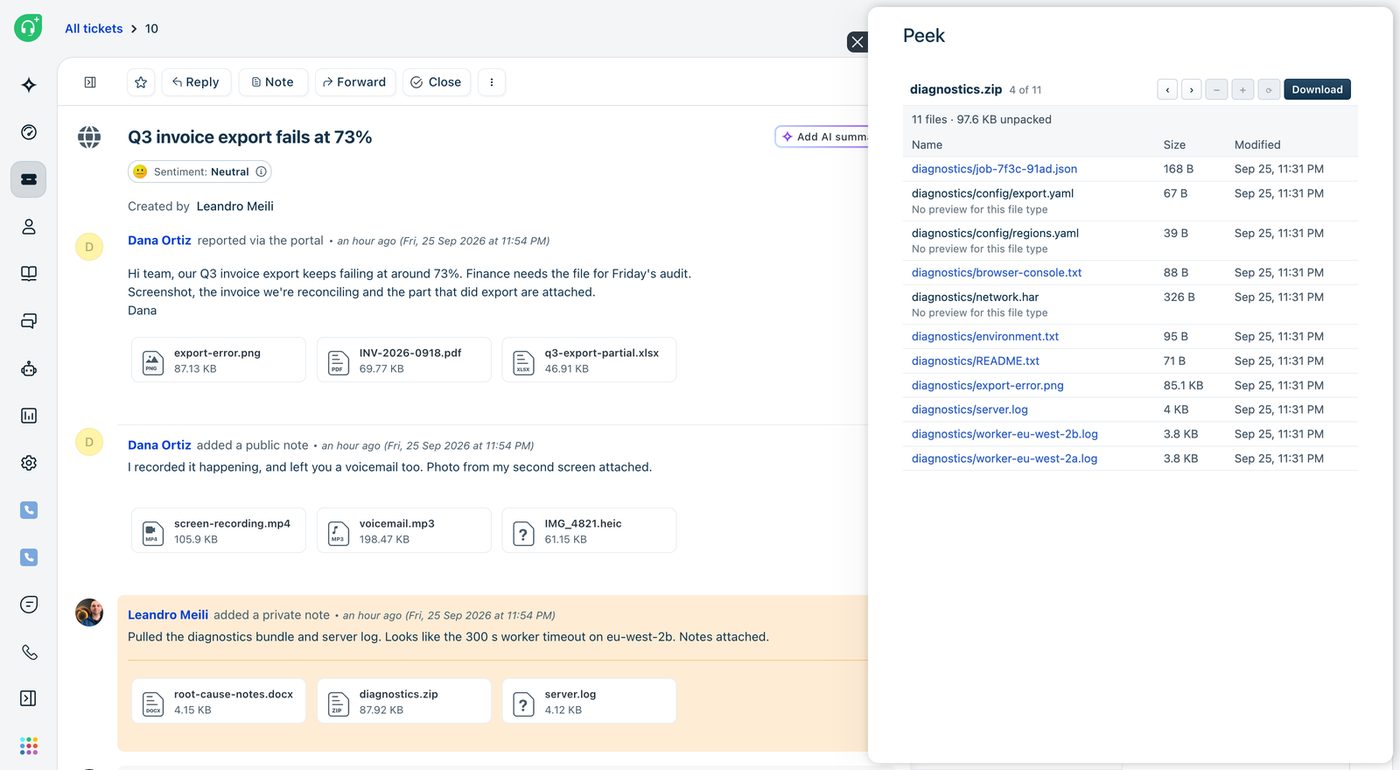
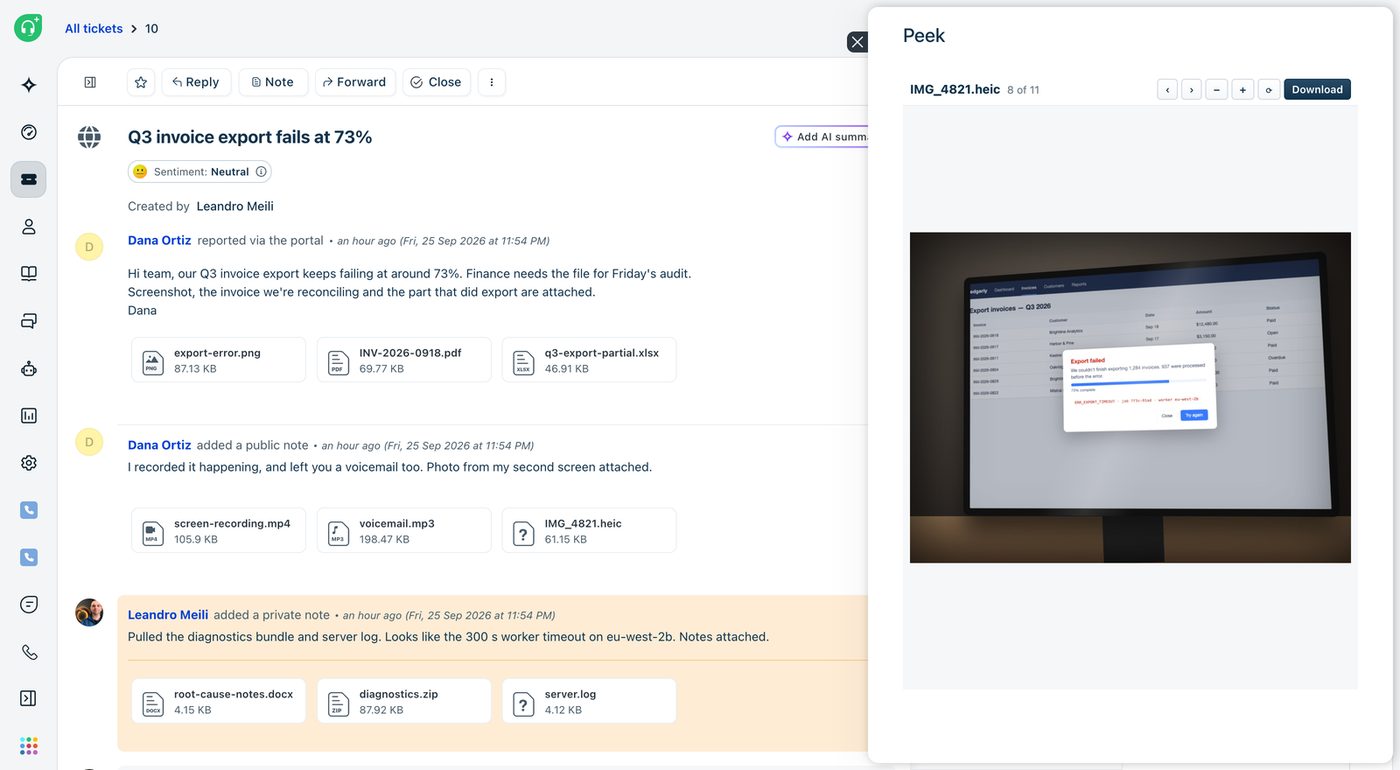
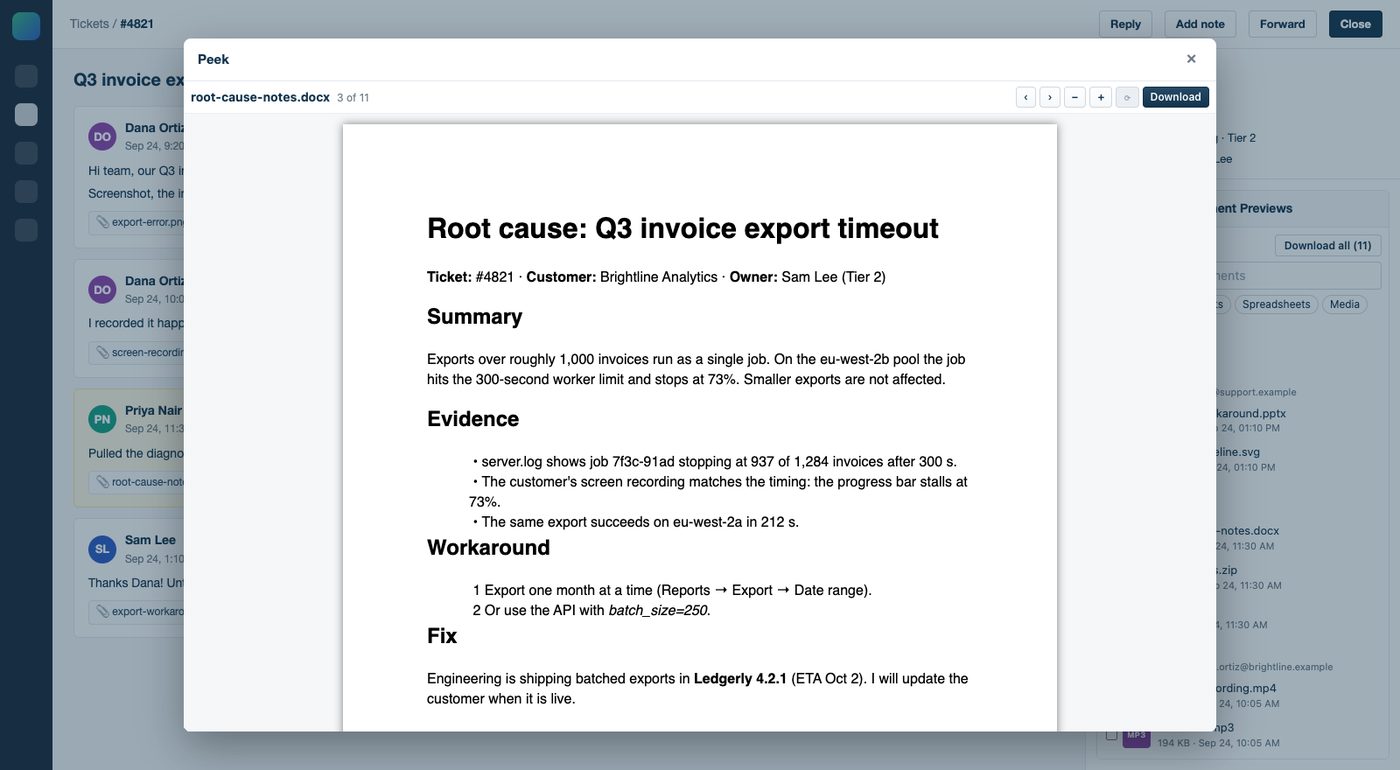
29 file types, previewed in the ticket.
| Kind | Formats | In the viewer |
|---|---|---|
| Documents | PDF, Word (.docx), PowerPoint (.pptx), RTF | Search, zoom and rotate on PDFs, including password-protected files |
| Spreadsheets | Excel (.xlsx, .xls), OpenDocument (.ods), CSV | A tab per sheet |
| Images | JPG, PNG, GIF, WebP, BMP, SVG, iPhone HEIC | Zoom and rotate |
| Video and audio | MP4, MOV, WebM, MP3, WAV, M4A, OGG | Streamed in the browser |
| Archives | ZIP | See what's inside and open files straight from the archive |
| Text | TXT, LOG, JSON, XML, Markdown | JSON is pretty-printed |
Legacy .doc and .ppt files, encrypted Office files and .eml show a card with a Download button instead of a preview.
Setup: about two minutes.
Copy an API key
From an agent who can see the tickets Peek will run on. Peek only reads tickets, so any such agent will do. On Freshservice, the API key has to be switched on in the agent's profile.
Install from the Marketplace
In Admin → Apps, search for Peek: Attachment Previews, and fill in two settings: your helpdesk domain (such as acme.freshdesk.com) and the API key. Peek is in review with Freshworks and will be on the Marketplace soon.
Open a ticket
Open any ticket that has an attachment. Peek appears in the sidebar with the list of files. Click one to preview it.
Files are shown in the agent's browser.
Peek never stores attachments and never sends them anywhere else. It has no database and no servers of its own. The API key is kept as a secure installation parameter and only used on Freshworks' servers, so it never reaches agents' browsers and we never see it.
The only data that leaves Freshworks is an anonymous error report when the app hits a bug. It goes to Sentry with file names, ticket text, names, email addresses and IP addresses left out. Peek sets no cookies and uses no analytics.
$0.50 per agent per month.
Peek is sold through the Freshworks Marketplace, and Freshworks handles billing, renewals, cancellations and refunds. You can cancel by uninstalling the app.
Common questions.
Does it work on Freshdesk and Freshservice?
Yes, on both, in the ticket sidebar. On Freshservice it also picks up files attached to service-request item forms.
Does Peek change my tickets?
No. It only reads data and never changes a ticket.
How faithful are Word and PowerPoint previews?
They are simplified. Layout and text are faithful; charts, SmartArt and effects are left out, and the viewer says so. Download the original when exact rendering matters.
Is there a size limit?
Files that must be parsed are previewed up to 25 MB (10 MB on Freshdesk). Video and audio have no limit. On Freshdesk, Download all is capped at 25 MB in total.
What happens when I uninstall it?
Processing stops right away. Peek keeps no data, so nothing is left behind.
How do I get support?
Email leandro.meili@redlotus.com.br. We aim to reply within 3 business days, or 5 for critical issues.
Stop downloading files just to look at them.
Questions about Peek, or a format you need that isn't on the list? Write to us.
Back to all solutions