Where did the ticket's time go? Now you can see it.
Status changes, reassignments and SLA targets are spread across the activity log, so it's hard to tell why a ticket was slow or breached its SLA. Ticket Lifecycle Timeline puts the whole life of the ticket in the sidebar: the SLA results, the time spent in each status, and every change in order, with who made it and when.
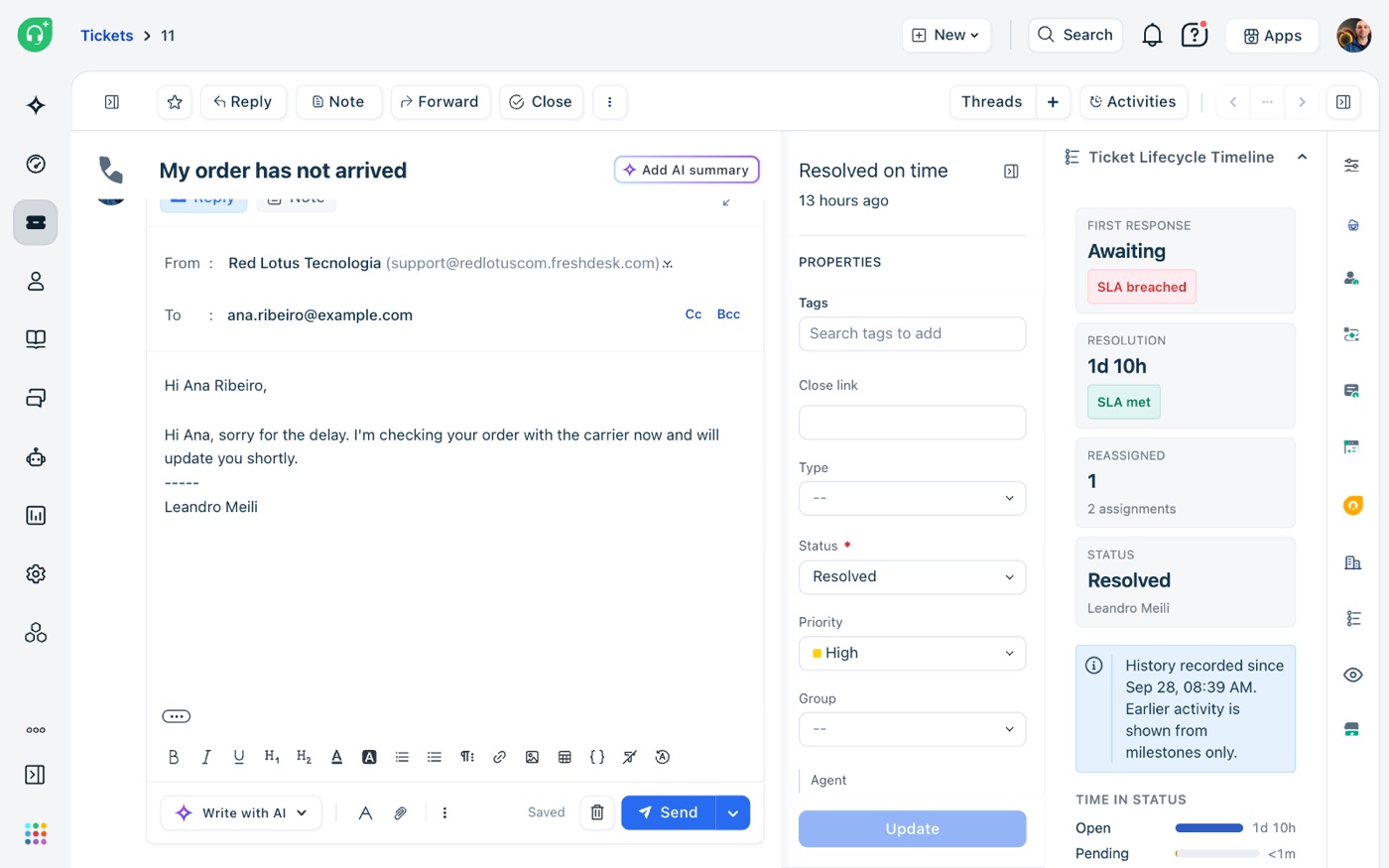
One panel, from created to closed.
The app sits in the ticket sidebar. It records each change to the ticket as it happens, reads the rest from Freshdesk or Freshservice, and never changes the ticket.
Summary tiles
First response and resolution times, each marked SLA met or breached, how long an open ticket has been open, the number of reassignments, and the current status and assignee.
Time in status
A bar for each status showing how long the ticket spent in it, so you can see at once whether it waited on the team or on the customer.
Timeline
Every status, priority, group and agent change in order, with the SLA due dates on the same line. Open an assignment to see who made it and who had the ticket before.
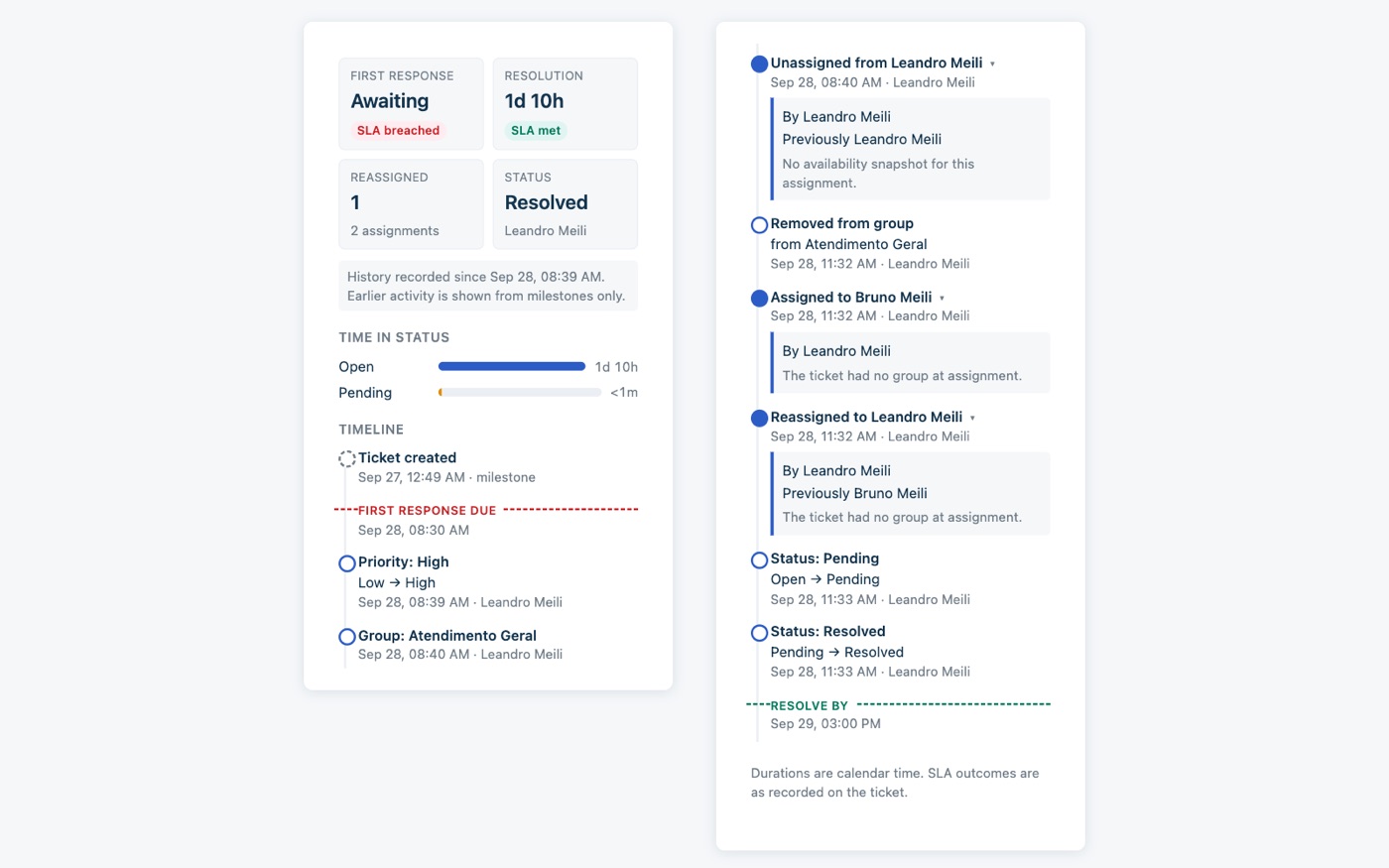
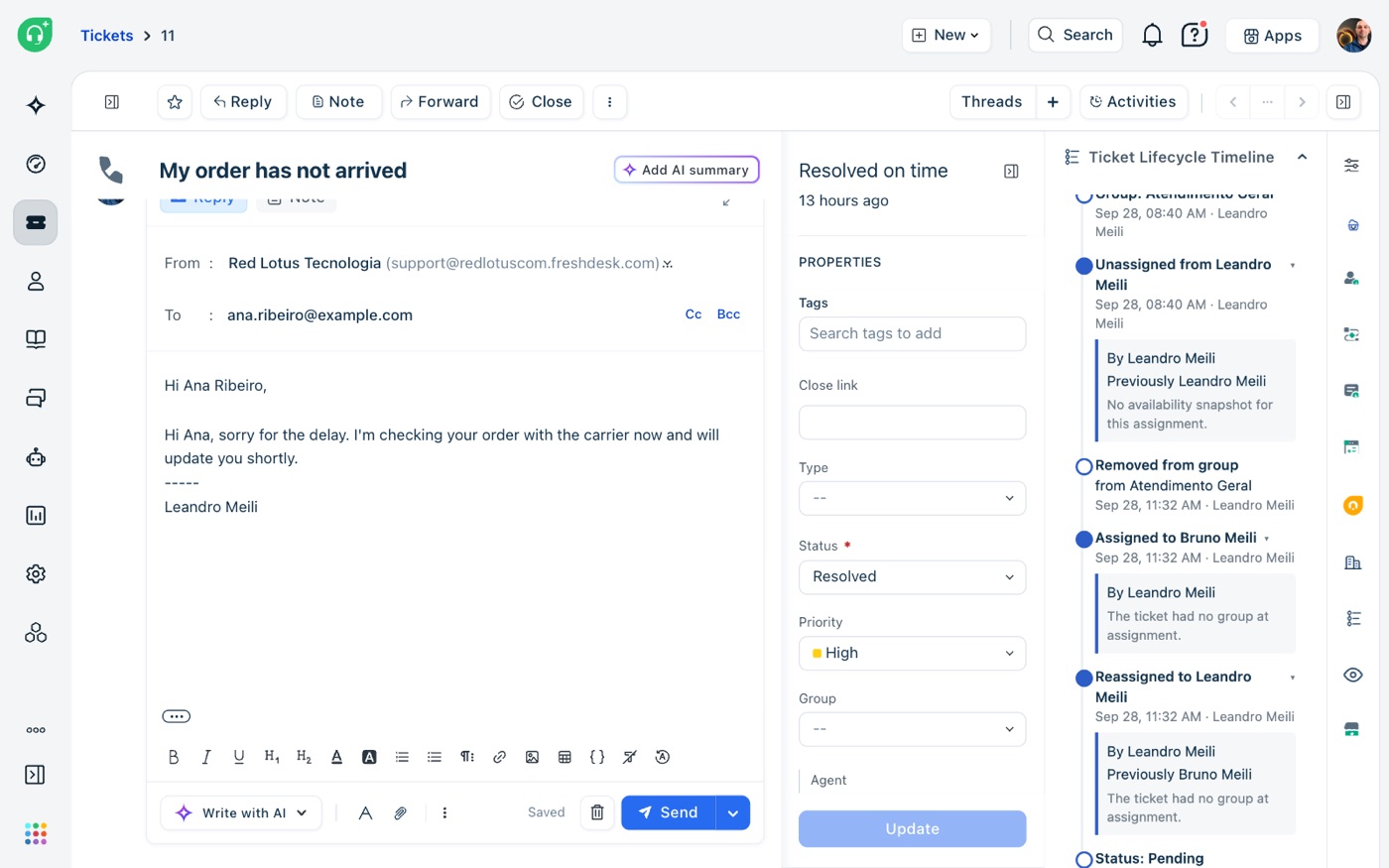
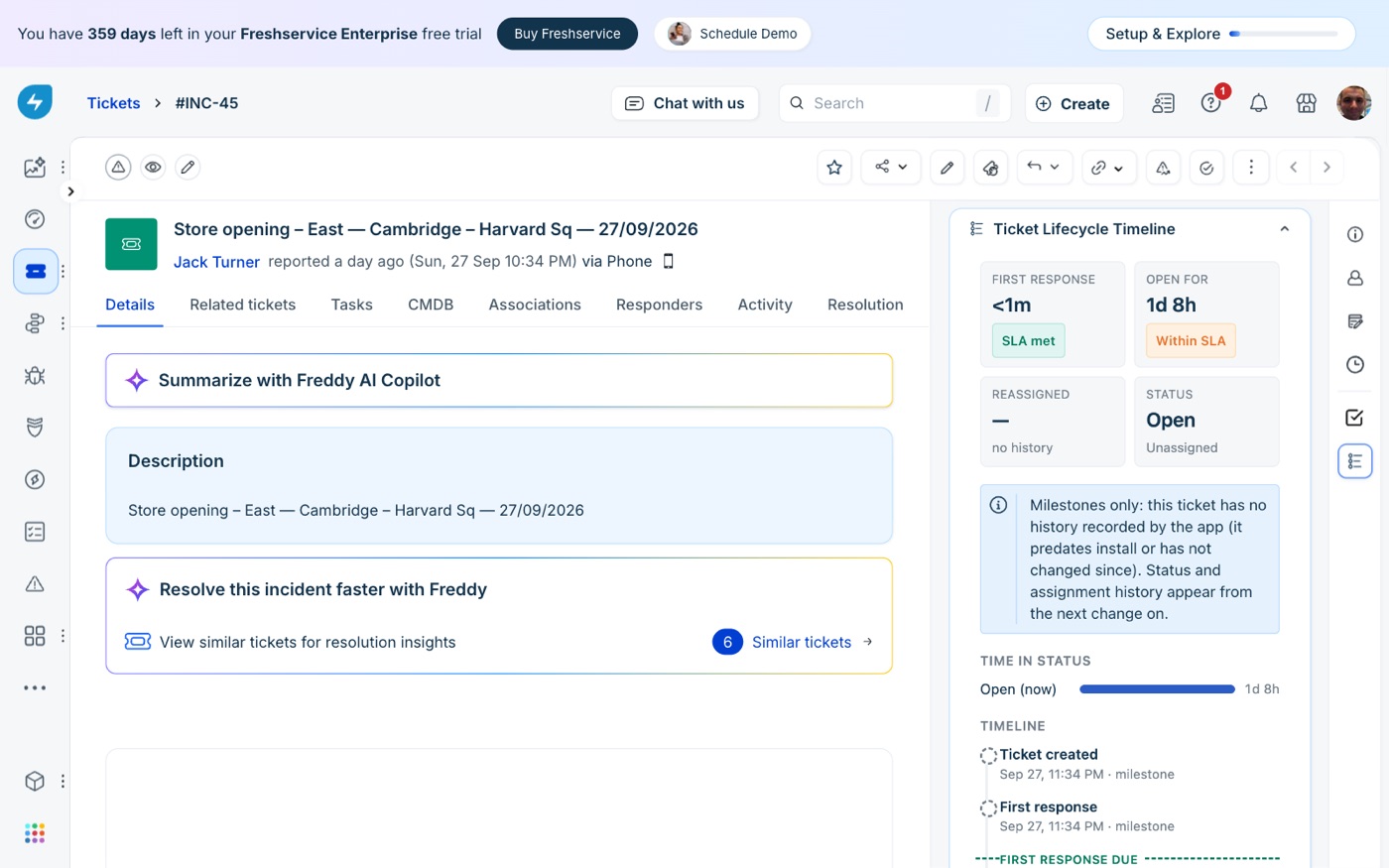
What the supervisor sees in the ticket.
Screenshots taken in a real Freshdesk and a real Freshservice, on test tickets.
Setup: about two minutes.
Copy an admin's API key
The app uses it to read ticket dates, groups and agents. On Freshservice, API keys are off by default: turn it on for that agent under Admin → Agents.
Install from the Marketplace
In Admin → Apps, search for Ticket Lifecycle Timeline, and fill in two settings: your helpdesk domain (such as acme.freshdesk.com) and the API key. The app is in review with Freshworks and will be on the Marketplace soon.
Open a ticket
The panel appears in the ticket sidebar. From then on, every change is recorded; tickets from before the install show the dates Freshworks already has.
The history stays in your Freshworks account.
Each change is stored in the app's data store inside your Freshworks account, as IDs and timestamps: no ticket text, no names, no email addresses. Names are looked up when the panel opens and are never stored. The app has no servers of its own and sends nothing to Red Lotus or anyone else.
The API key is kept as a secure installation parameter and only used on Freshworks' servers, so it never reaches agents' browsers and we never see it. The app sets no cookies and uses no analytics. When you uninstall it, Freshworks removes the stored history.
$0.30 per agent per month.
Ticket Lifecycle Timeline is sold through the Freshworks Marketplace, and Freshworks handles billing, renewals, cancellations and refunds. You can cancel by uninstalling the app.
Common questions.
Does it work on Freshdesk and Freshservice?
Yes, on both, in the ticket sidebar. The availability count at each assignment is Freshdesk only, because Freshservice's API doesn't expose it; there the panel says so.
What about tickets from before I installed it?
They show the dates Freshworks keeps (created, first response, resolved, closed) and the SLA due dates. The step-by-step history starts with the first change after installation.
Does it calculate SLAs?
No. It shows the SLA results and due dates your helpdesk already recorded, next to the ticket's history. Your SLA policies stay as they are.
Does it change my tickets?
No. It only reads data and never changes a ticket.
What happens when I uninstall it?
Recording stops right away, and Freshworks removes the app's data store together with the installation.
How do I get support?
Email leandro.meili@redlotus.com.br. We aim to reply within 3 business days, or 5 for critical issues.
Stop digging through the activity log.
Questions about Ticket Lifecycle Timeline, or something you'd like it to show? Write to us.
Back to all solutions