One incident, a dozen tickets. See how they connect.
When something breaks, the tickets pile up: the customer complaints, the duplicates, the task that's blocked, the change that caused it all. Nobody sees the whole chain, so the same problem gets solved twice and the missed SLA three tickets away goes unnoticed. Ticket Linking lets agents link tickets and say how they relate, shows every link in the sidebar, and draws the whole chain in one map.
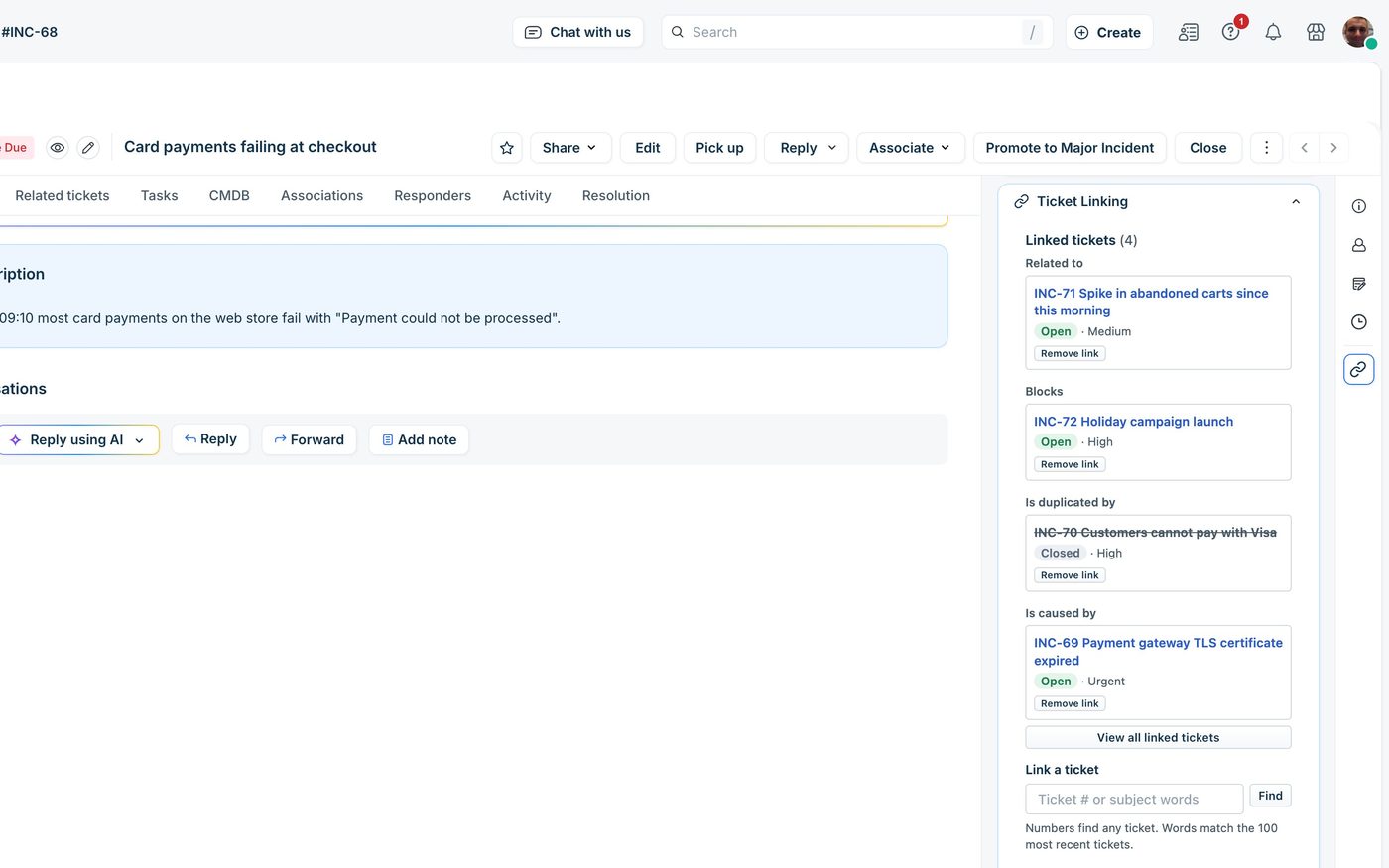
Link it once. Both tickets know.
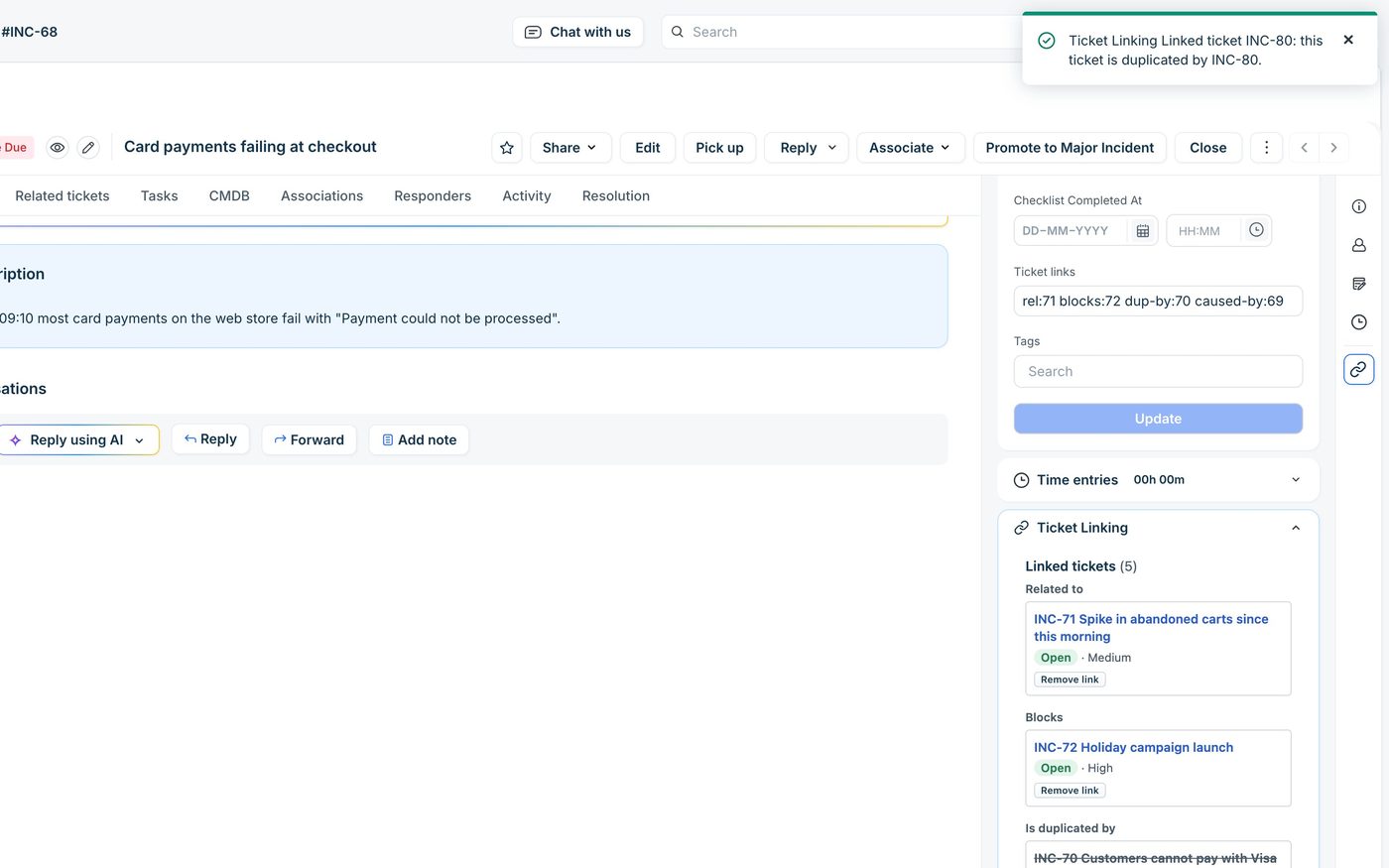
The app sits in the ticket sidebar. A link is saved on both tickets at once, each with the label for its own side, so the other agent sees it too.
Seven link types
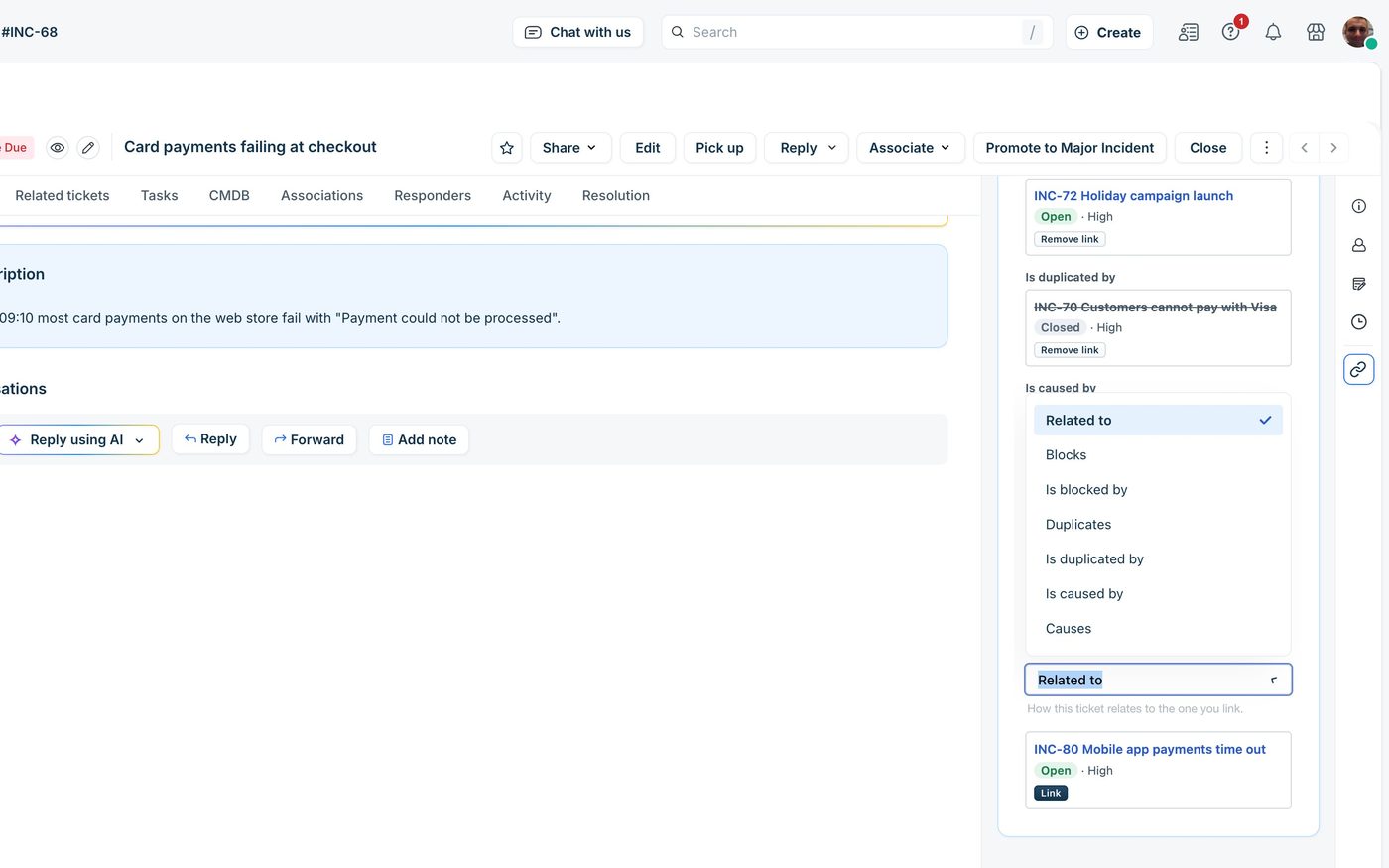
Related to, Blocks, Is blocked by, Duplicates, Is duplicated by, Causes and Is caused by. Pick one side and the other ticket gets its opposite. Find a ticket by its number or by words from its subject.
Both sides in sync
Linking updates both tickets, and removing a link from either one removes it from both. An optional private note on each ticket keeps the change in its activity.
The whole chain
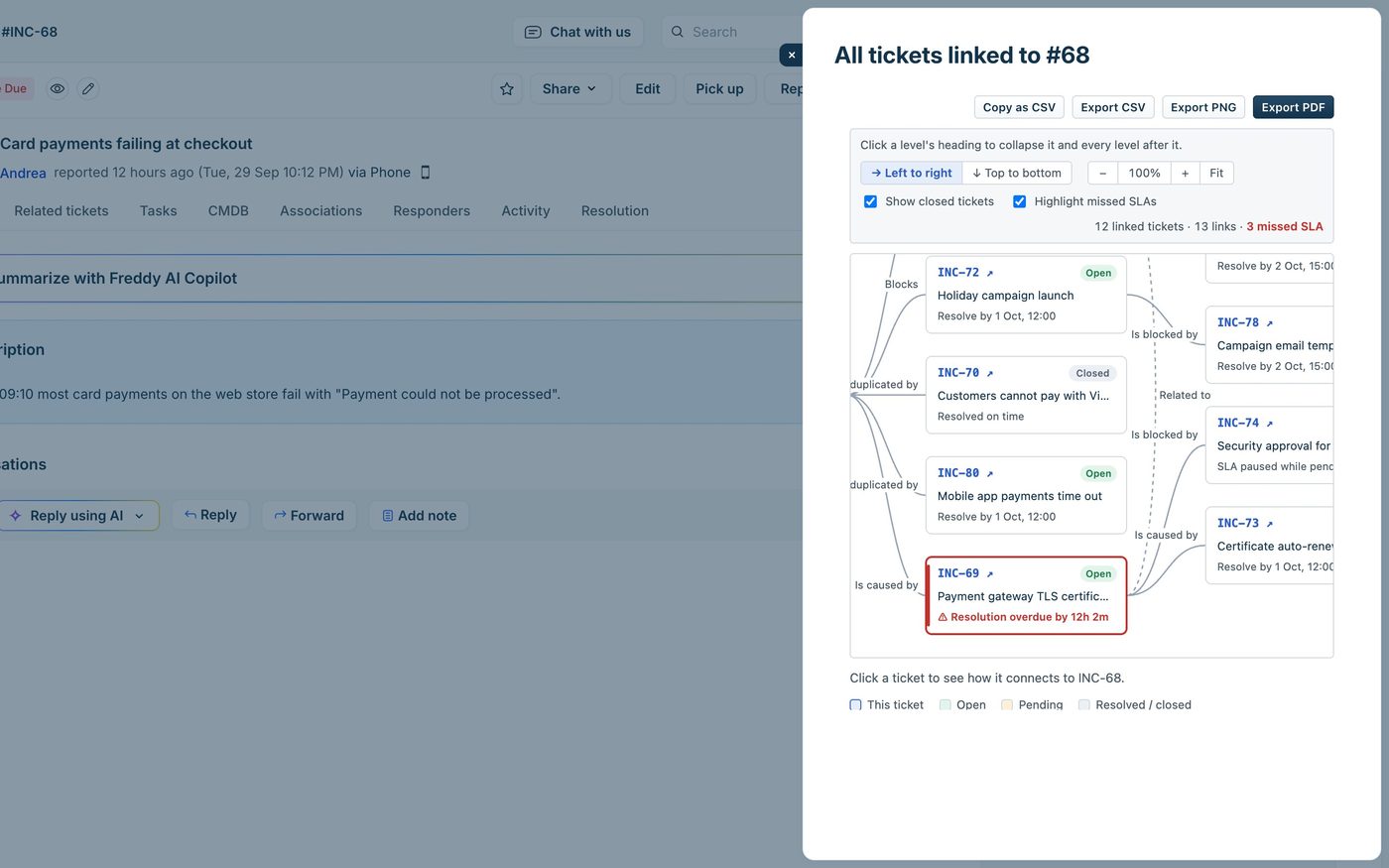
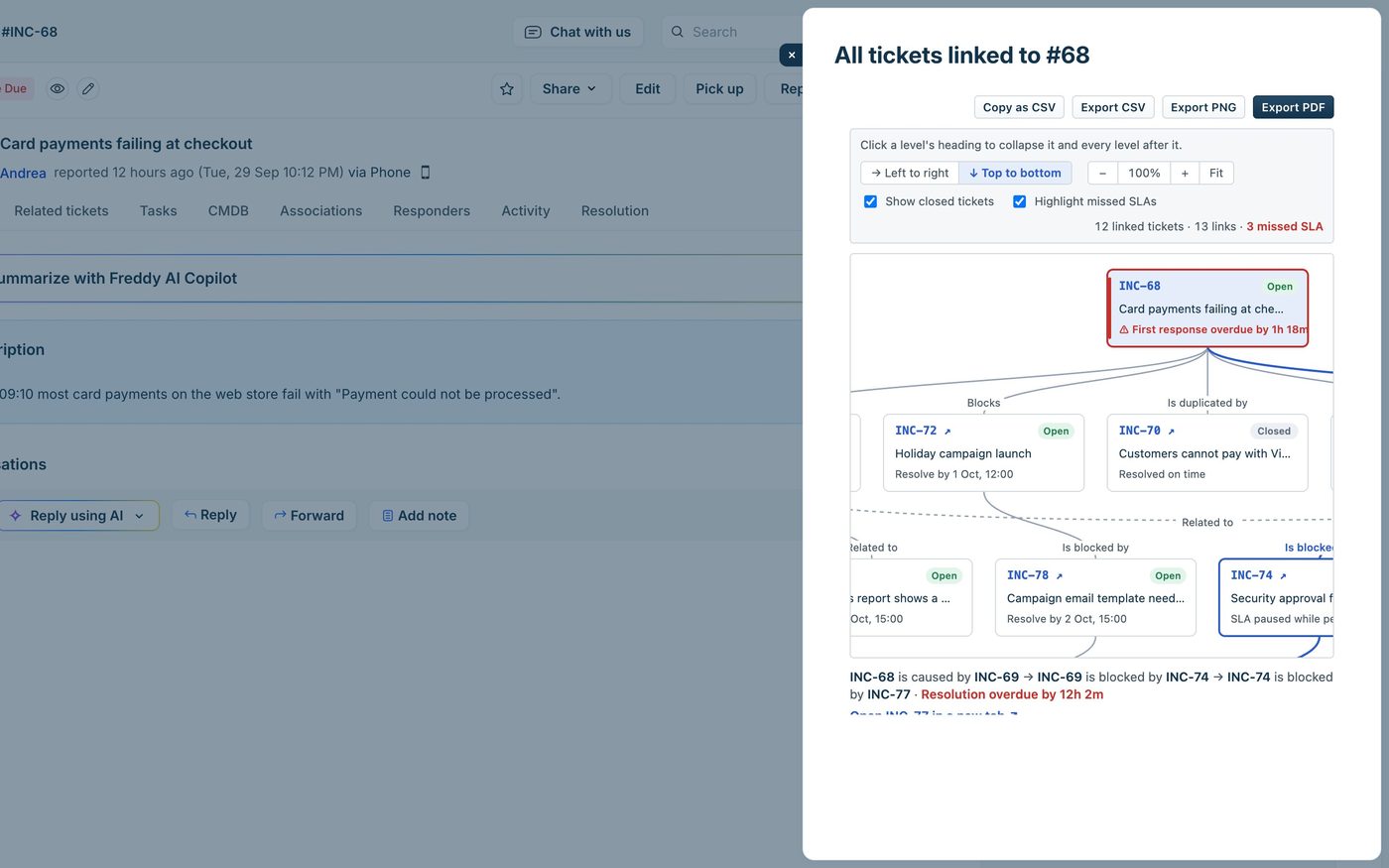
A map of the ticket's links and their links, three levels deep, with missed SLAs in red. Click a ticket to see how it connects. Export it as PDF, PNG or CSV for reviews and audit files.
What the agent sees in the ticket.
Screenshots taken in a real Freshservice, on test tickets.
Setup: about five minutes.
Copy an API key
From an agent who can view and update every ticket agents may link. On Freshdesk, an admin's key also lets the app create its Ticket links field by itself. On Freshservice, API keys are off by default: turn it on for that agent under Admin → Agents.
On Freshservice, add the field
Freshservice has no API to create ticket fields, so add a single-line text field named Ticket links under Admin → Field Manager → Ticket Fields, in each workspace that will use links.
Install and open a ticket
In Admin → Apps, search for Ticket Linking, and fill in your helpdesk domain (such as acme.freshservice.com), the API key, and whether links should be logged as private notes. The app is coming to the Freshworks Marketplace soon.
Links stay on your tickets.
Each link is saved in the Ticket links field of the two tickets, as ticket numbers and a link type. The app has no database and no servers of its own, and sends nothing to Red Lotus or anyone else. The exports are made in the agent's browser.
The API key is kept as a secure installation parameter and only used on Freshworks' servers, so it never reaches agents' browsers and we never see it. Agents only see the details of tickets their role lets them open; the others show as locked. The app sets no cookies and uses no analytics.
$0.50 per agent per month.
Ticket Linking is sold through the Freshworks Marketplace, and Freshworks handles billing, renewals, cancellations and refunds. You can cancel by uninstalling the app.
Common questions.
Does it work on Freshdesk and Freshservice?
Yes, on both, in the ticket sidebar, and on Freshdesk Omni. On Freshservice, tickets can be linked across workspaces.
Where are the links stored?
In a single-line text field called Ticket links on each ticket. There is no app database, and uninstalling the app keeps every link. Agents can read the field, and even fix a link by hand.
Does it change my tickets?
Only the Ticket links field, and, if you leave the option on, a private note on each ticket when a link is added or removed. Each link is a ticket update, so it changes the ticket's updated time and can trigger automations that run on updates.
Can agents see tickets they aren't allowed to open?
No. The app applies each agent's ticket access: a linked ticket they can't open shows only its number, and search leaves it out.
How many links can a ticket have?
About 60 with three-digit ticket numbers and about 36 with six-digit ones. The map shows up to three levels and 50 tickets, and says how many it left out.
How do I get support?
Email info@redlotus.com.br. We aim to reply within 3 business days, or 5 for critical issues.
Stop solving the same problem twice.
Questions about Ticket Linking, or a link type you'd like it to have? Write to us.
Back to all solutions