The org chart that keeps itself up to date. Right in Freshservice.
Every reorg means updating spreadsheets, slides and emails all over again. Org Chart by Red Lotus draws your organization straight from the requesters, agents and departments already in Freshservice, so the chart is never out of date and there is nothing to build. On top of it, HR plans what the directory does not have: seats, vacancies with acting managers, cost centers and business units.
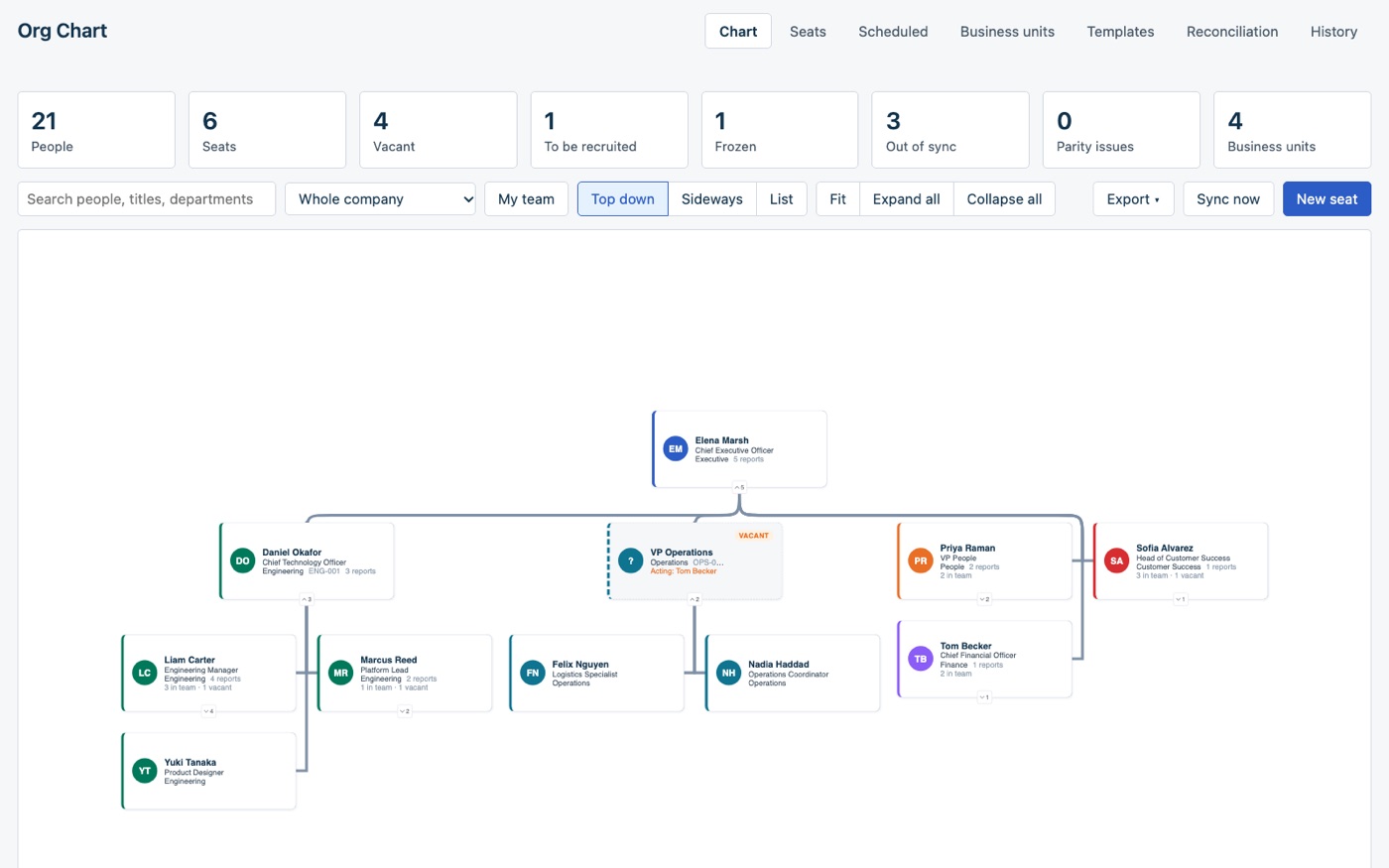
People from Freshservice, seats from the app.
The chart follows each person’s Reporting manager in Freshservice. The app keeps only what Freshservice cannot hold, such as a vacancy, a frozen seat, a cost center, an acting manager or a level, in its storage on the Freshworks platform, inside your account. There is no server or database of ours in between. An independent app by Red Lotus, an authorized Freshworks partner.
See the whole company
Pan, zoom, search and expand a live chart of your requesters and agents. Collapsed teams sum themselves up, and My team narrows the view to you, your peers and everyone below you.
Plan seats, not only people
Keep vacant, to-be-recruited and frozen seats on the chart with an acting manager, a job level and a cost center. Fill a seat with an existing person or a new hire.
Move people safely
Drag a person onto their new manager, or use the keyboard. Freshservice is updated and every change can be undone. A move with a future date waits until that day.
What HR and agents see.
Screenshots of the app with a made-up company, Harbor & Vale: every name, e-mail address, tax id and number below is invented.
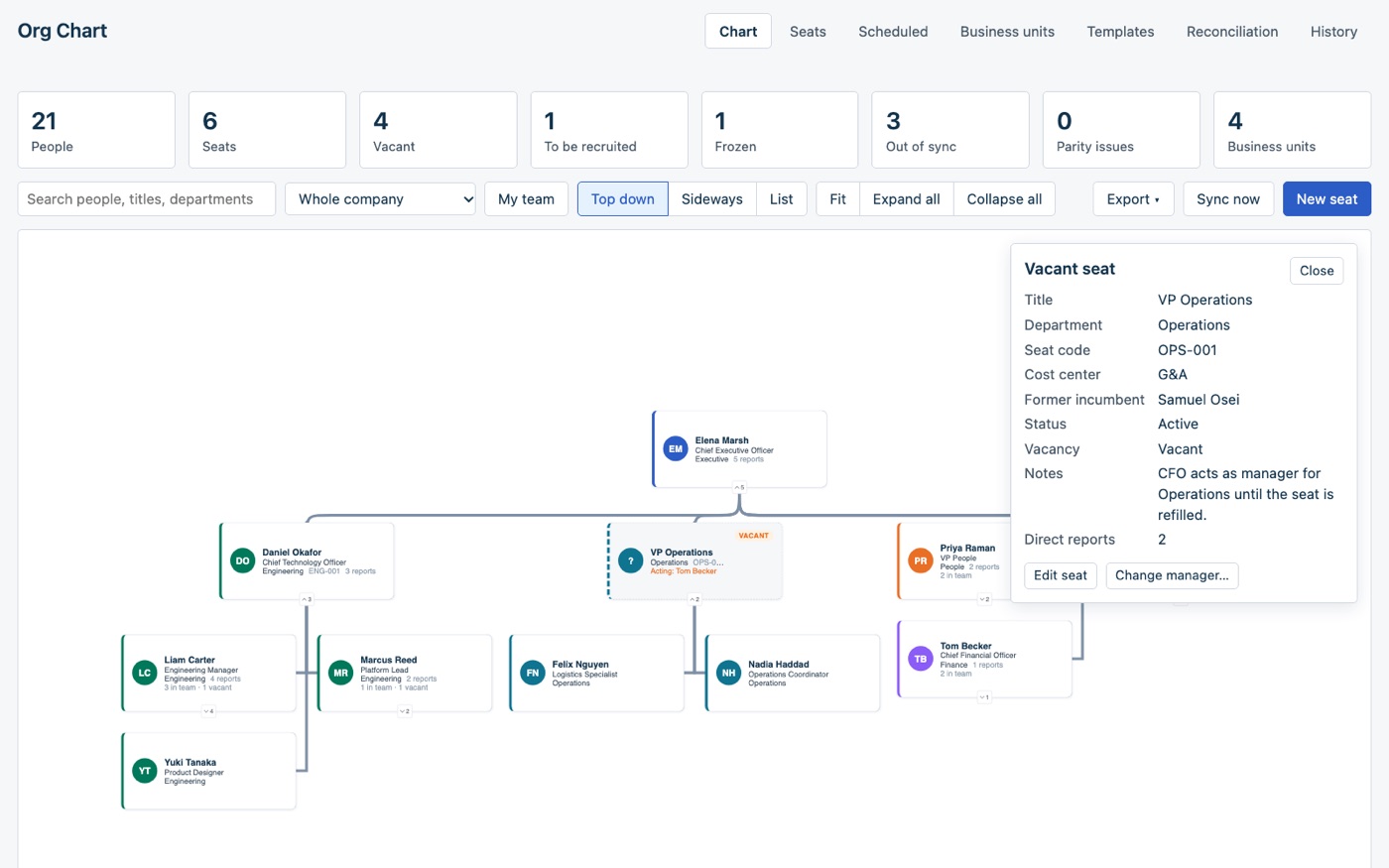
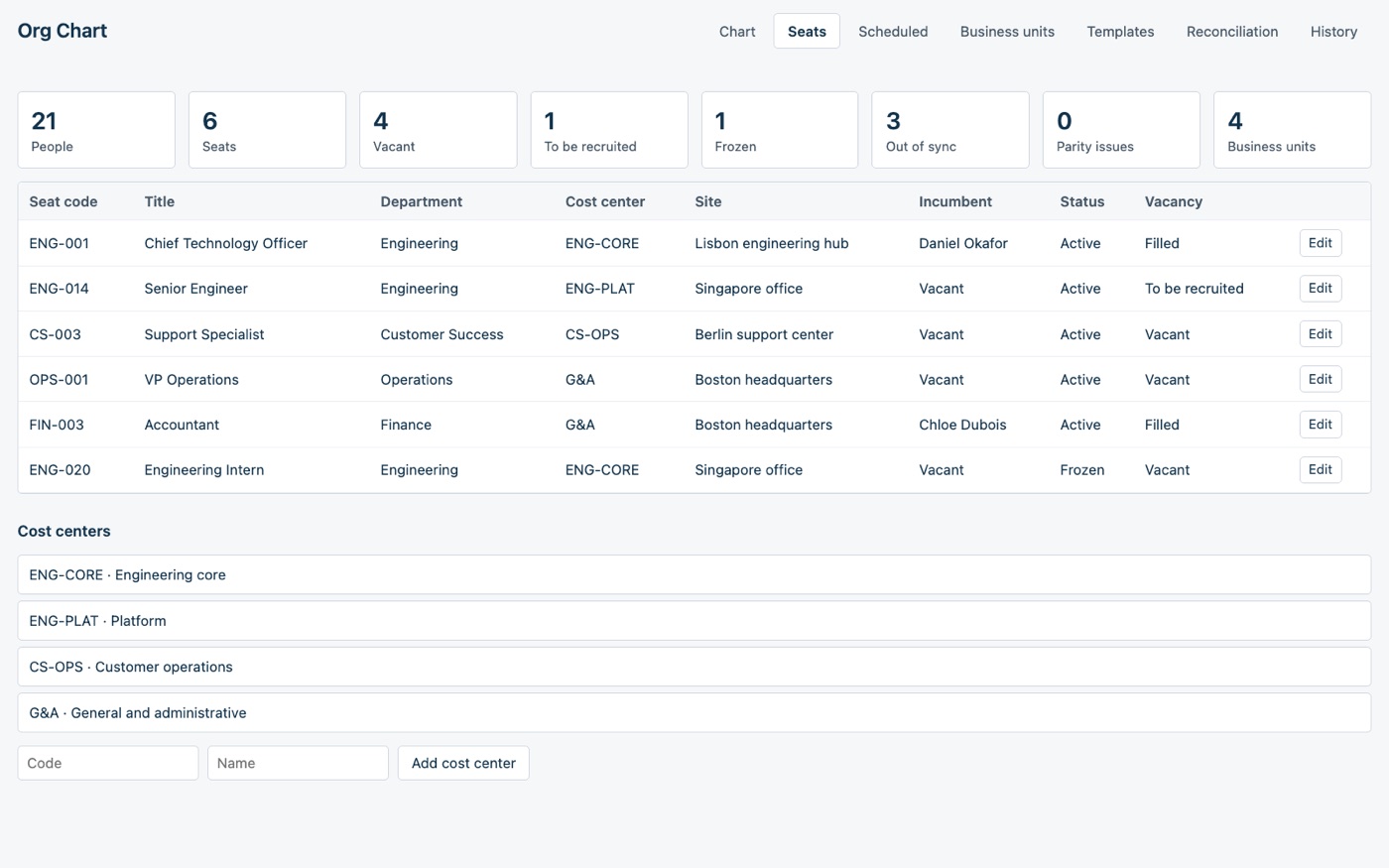
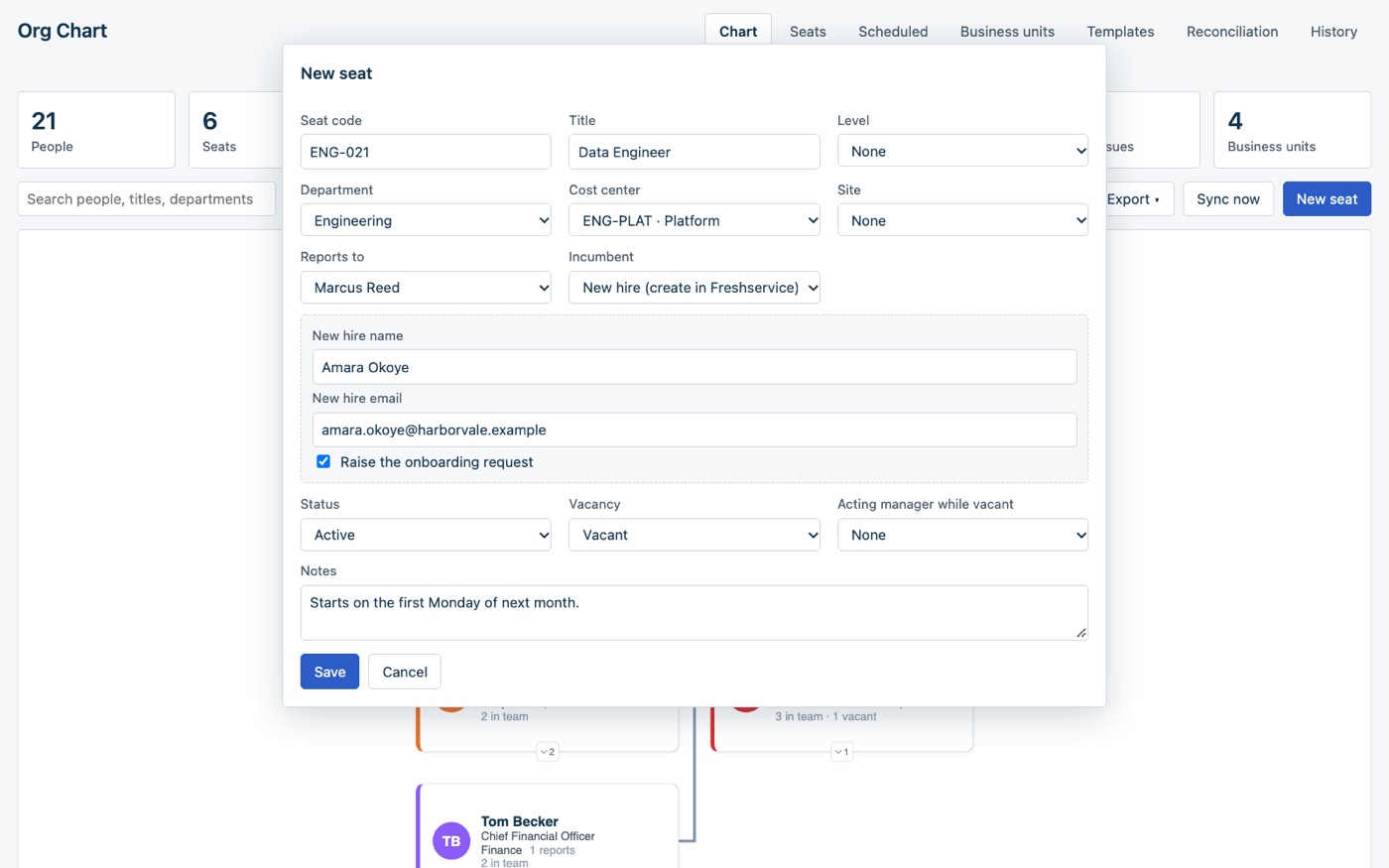
For HR and IT teams who keep the org chart in a slide.
A chart in a spreadsheet or a slide is out of date the week after a reorg, and nobody can say which seats are open or who approves while a manager’s seat is empty. Freshservice already knows who reports to whom. The app draws it and adds the planning on top.
Your directory stays in charge
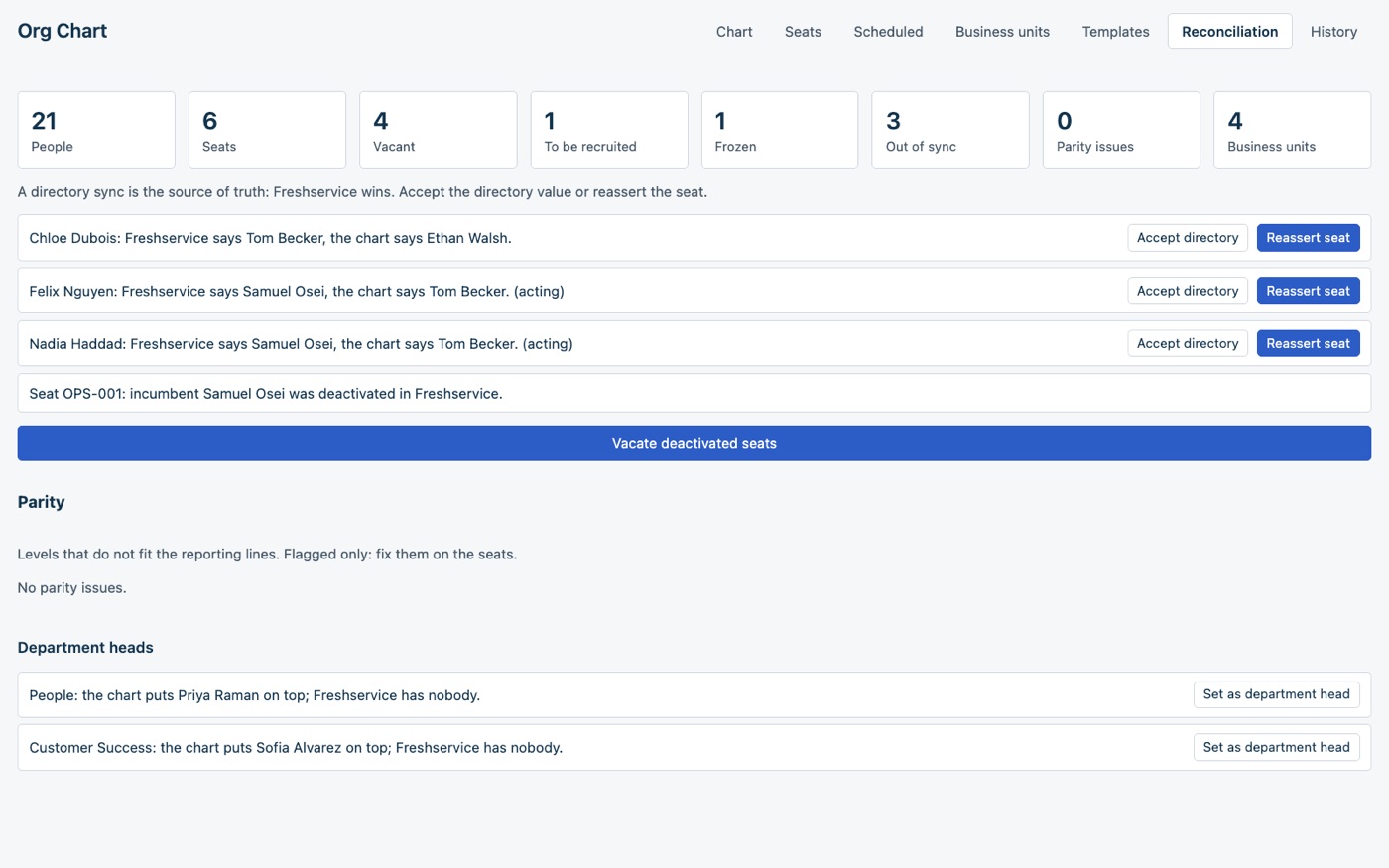
If Azure AD, Okta or an HRIS owns the reporting line, the app only flags the differences and you decide. Otherwise it writes the manager back itself.
Changes on their date
Give a move or a seat change a future date and it waits in the Scheduled tab until that day.
Job levels and parity
Give seats a job level. A daily check warns when someone reports to their own level or below, and vacates seats held by deactivated users.
New hires, onboarded
Fill a seat with a new hire and the app creates the requester and can raise your onboarding service request.
A new site in one step
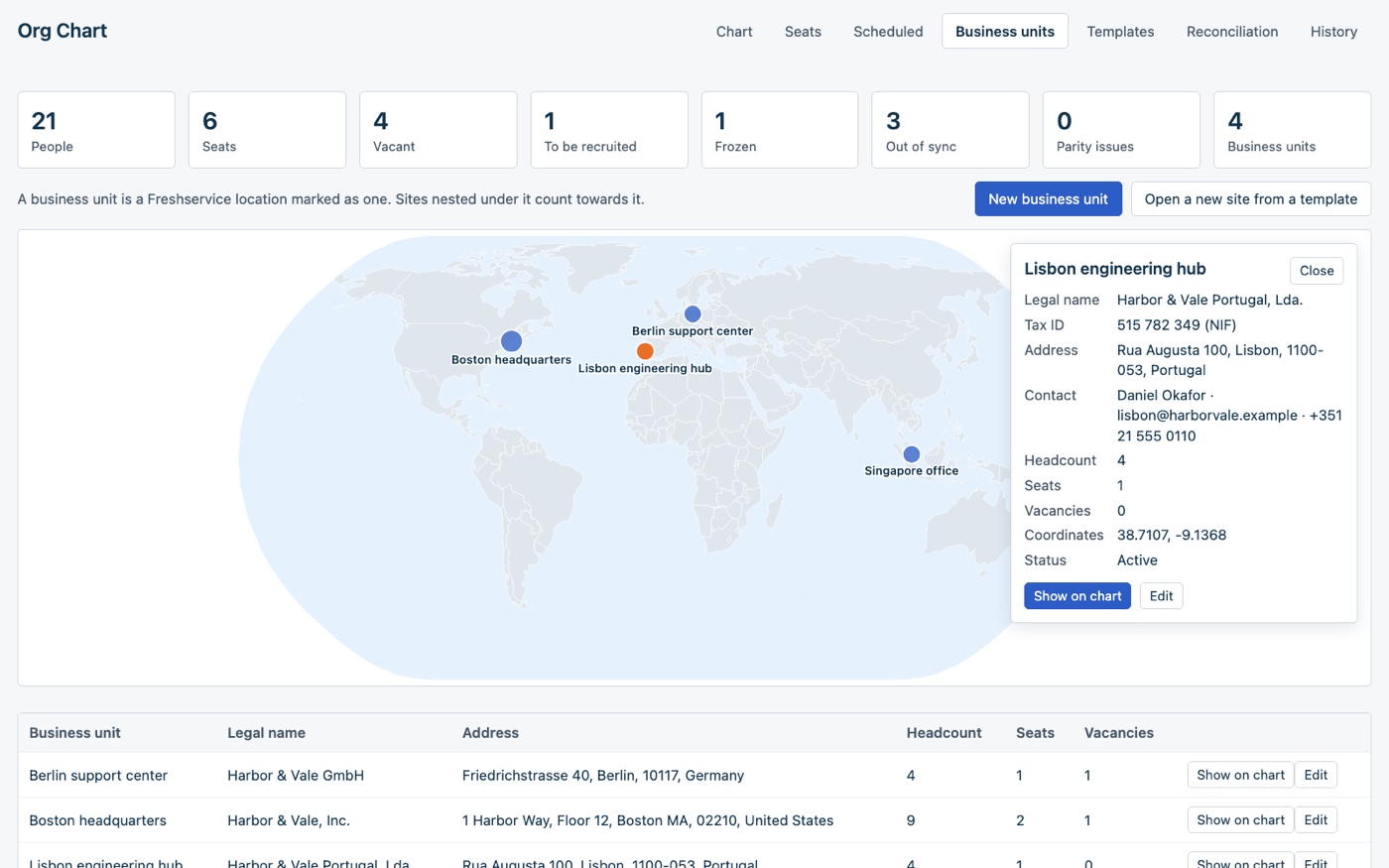
Mark Freshservice locations as business units with their legal name and tax id, and open a new site from a template.
Export
Excel with people, seats, cost centers, units, history and change log, CSV, and a vector PDF of the chart.
About ten minutes to install.
Get a key and an editor group
An API key from an integration user with a role, or an admin’s key. Then pick the agent group whose members may edit the chart. Everyone else sees it read only.
Install
Paste the key, type the editor group id and choose who owns the reporting line: This app or A directory sync. An onboarding catalog item and a photo field are optional.
Open Org Chart
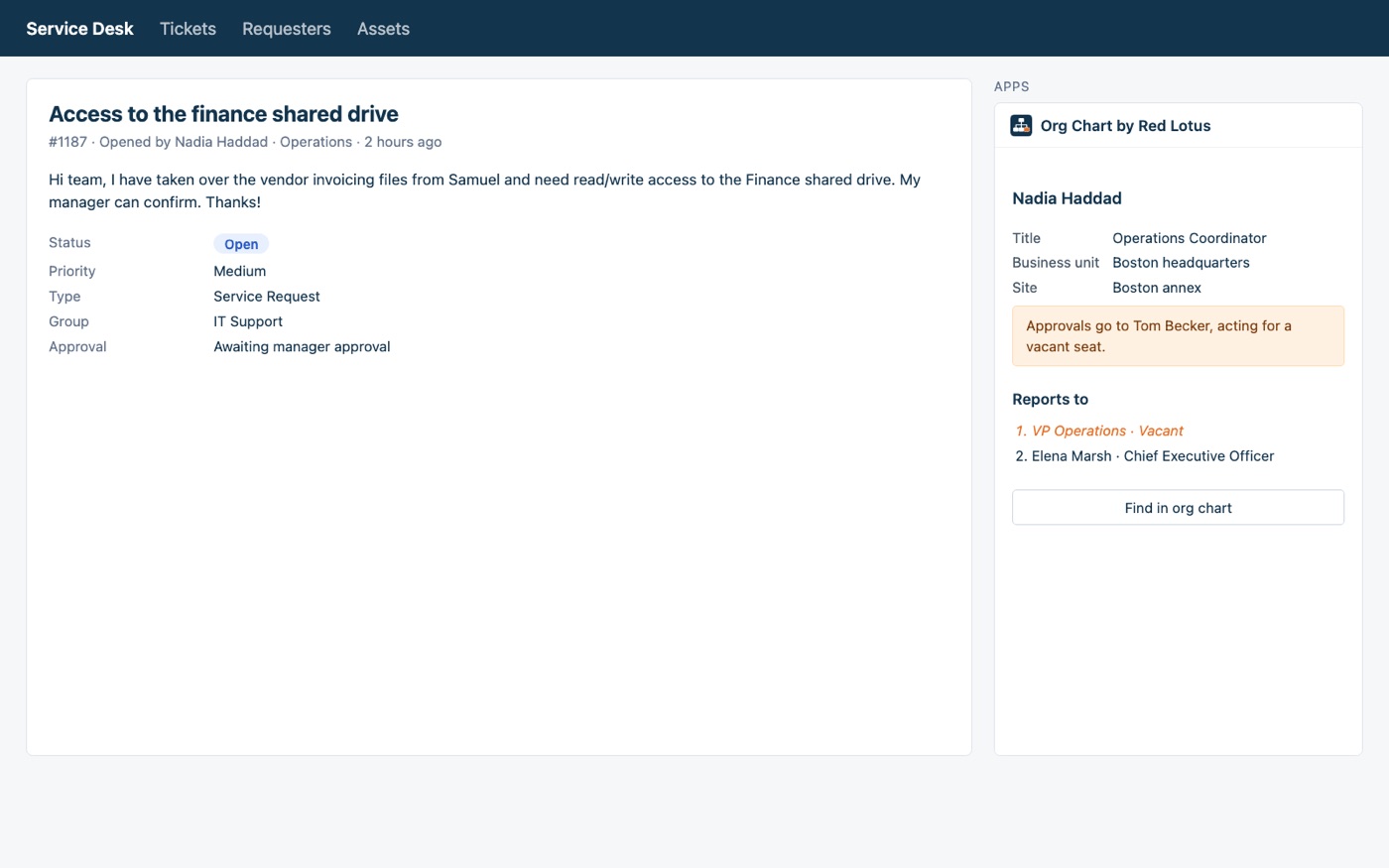
From the apps menu in the left navigation. Agents also see the requester’s place in the organization in the ticket sidebar.
It works on Freshservice. Freshservice shows full page apps to agents only, so the HR staff who edit the chart need to be agents. The app is in eight languages: English, Portuguese (Brazil), Spanish, French, German, Japanese, Simplified Chinese and Arabic, right to left.
Your data stays in your Freshworks account.
The app has no server of ours. It reads and writes through your own Freshservice API, using the Freshworks platform, and keeps seats, cost centers, business unit details, job levels, templates, scheduled changes and the change log in the app’s storage on the Freshworks platform, inside your account. Nothing is sent to Red Lotus, and the app never deletes people.
Two outside services are involved: jsDelivr serves the chart library, and OpenStreetMap Nominatim turns a business unit’s postal address into map coordinates when you do not type them yourself. The Freshservice API key is a secure installation parameter: the Freshworks platform keeps it encrypted and never sends it to the browser.
Questions before you install.
How much does it cost?
USD 3.00 per Freshservice agent per month, with a 21-day free trial. Freshworks does the billing, on your Freshworks account. We never see your payment details.
Will it overwrite what Azure AD or Okta sets?
Not in A directory sync mode: the app flags each difference and you accept the directory value or write the seat back. In This app mode it writes the reporting manager to Freshservice itself.
Who can change the chart?
Members of the editor group you choose at install. Everyone else sees the chart read only. Your Freshservice roles remain the control of reference.
Where do the photos come from?
Freshservice’s API does not return profile pictures, so the chart can read a requester field holding a link to each person’s photo. Without one, it shows initials.
What happens if I uninstall?
Managers, department heads, requesters, service requests and locations the app wrote stay in Freshservice. What the app stored itself is deleted with it, so export to Excel first.
Where do I get it?
It is on its way to the Freshworks Marketplace. Until it is listed, talk to us and we install it in your account as a custom app.
An org chart nobody has to redraw.
We install it, choose the editor group and the reporting-line mode with you and show HR where everything is. Come talk to us.
Back to all solutions