The whole ticket in a PDF. One click from the sidebar.
Ticket PDF Studio is our Freshdesk app that saves any ticket as a clean PDF with your brand on it: the properties, the custom fields, the satisfaction rating and every message in date order, with its images and attachment names. WhatsApp and web chat tickets on Freshdesk Omni come out complete, with the channel named. Need a pile of them? Export up to 25 tickets at once.
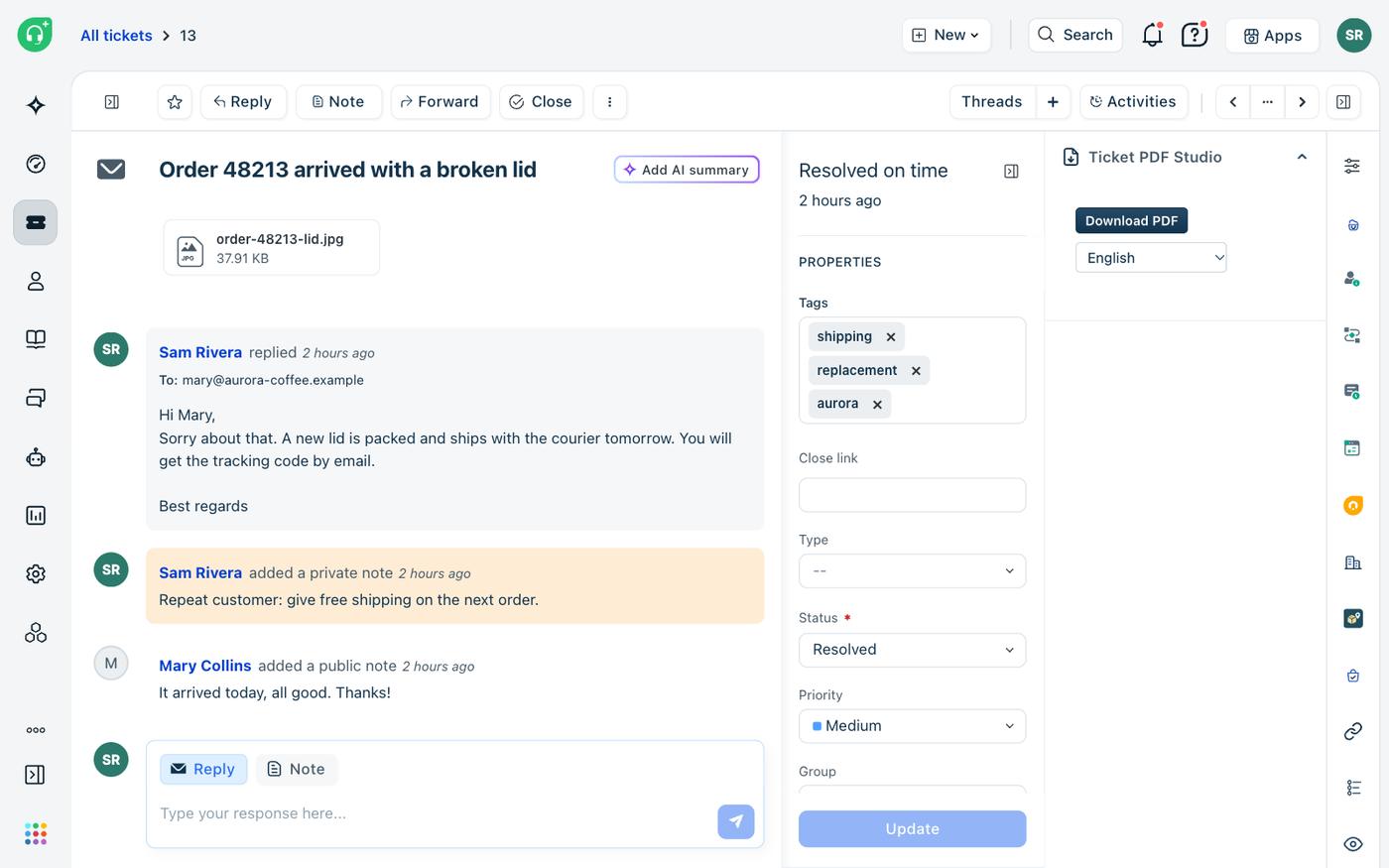
Pick a template, add your brand, download.
An admin sets the look once, and every agent's PDF follows it. The PDF is built in the agent's browser, and the ticket is read through the Freshworks platform, so the data never passes through us. An independent app by Red Lotus, an authorized Freshworks partner.
One click per ticket
The sidebar button saves the open ticket with the template the admin picked. The PDF language starts at the requester's language: English, Portuguese or Spanish.
Six templates, your brand
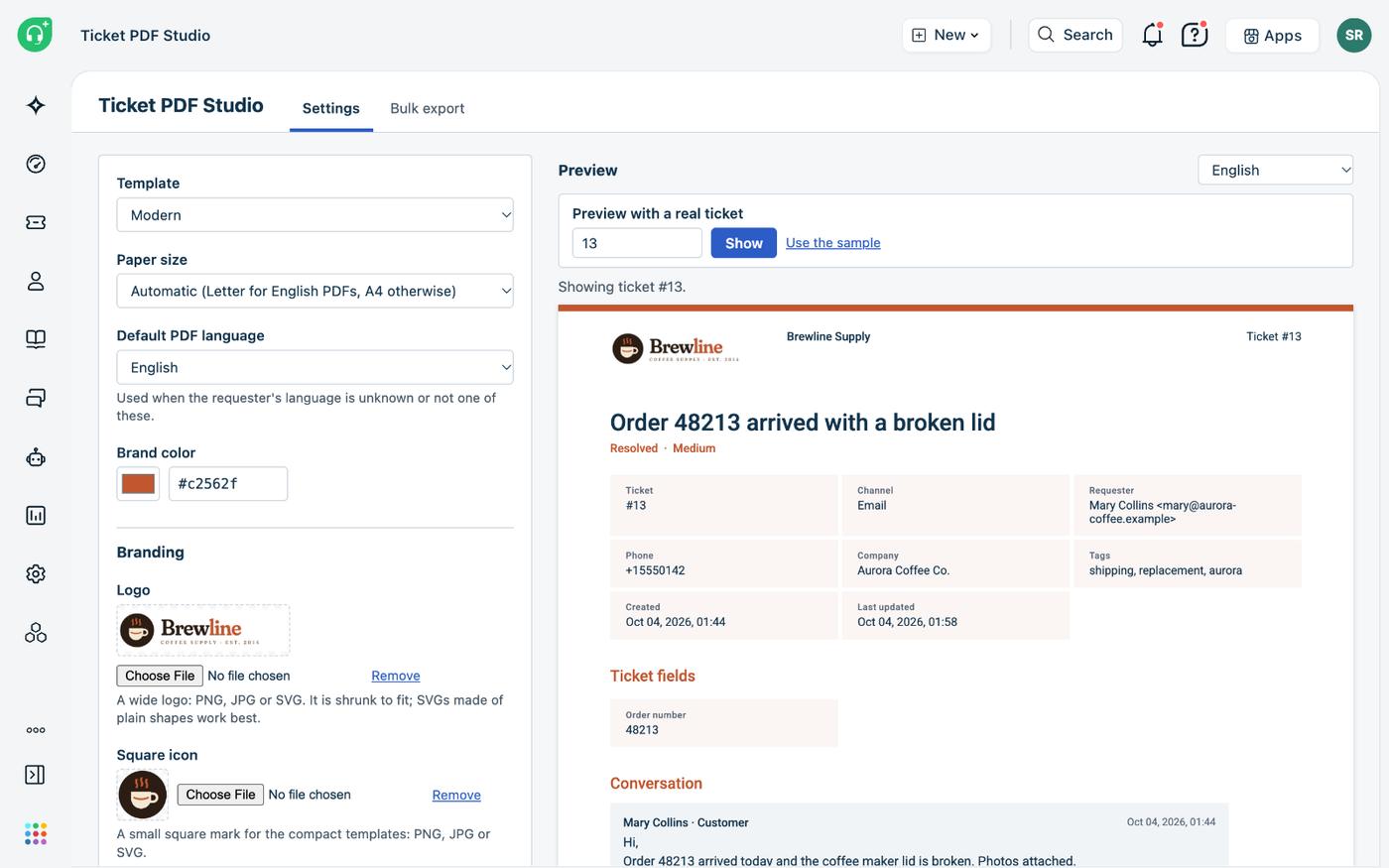
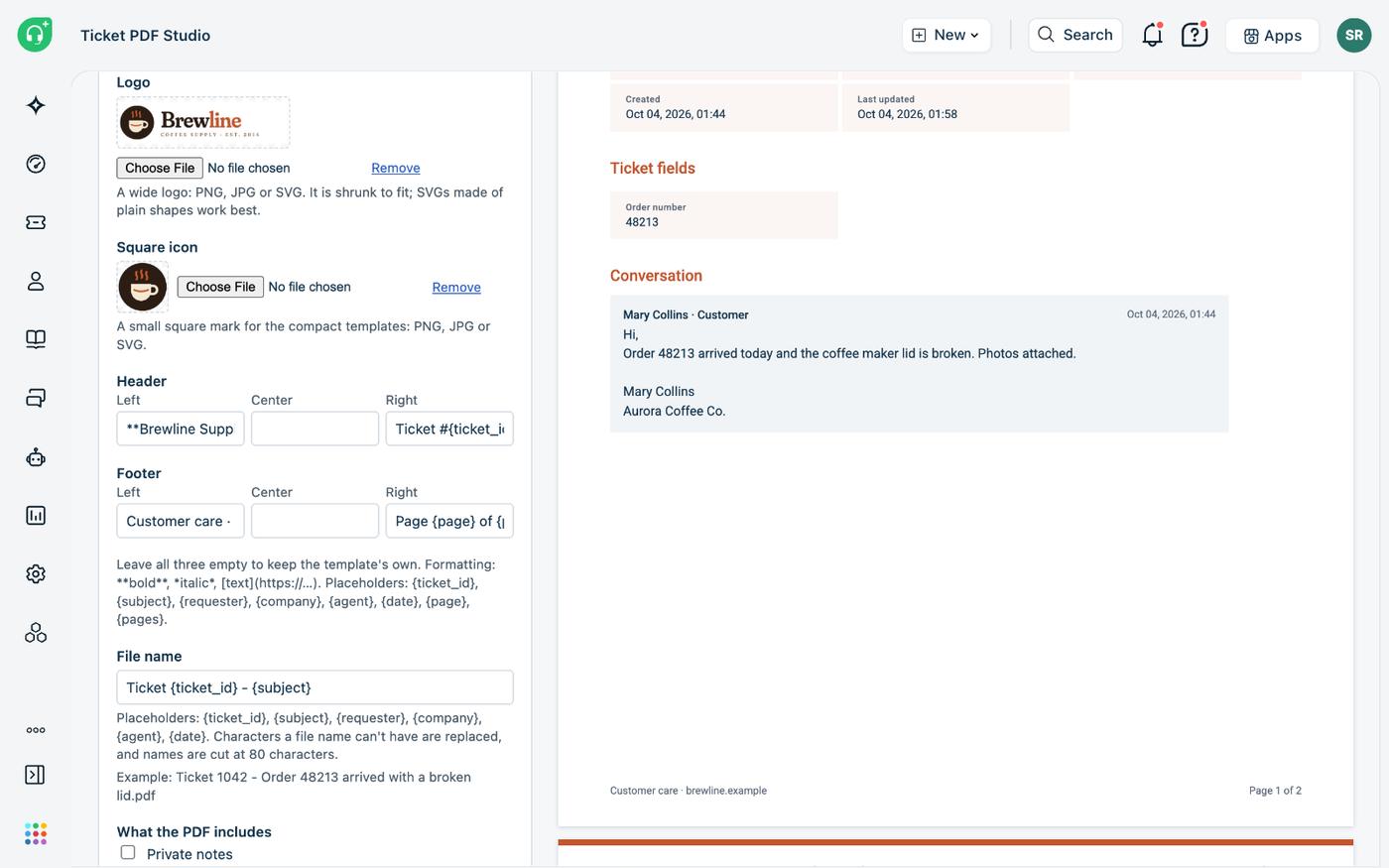
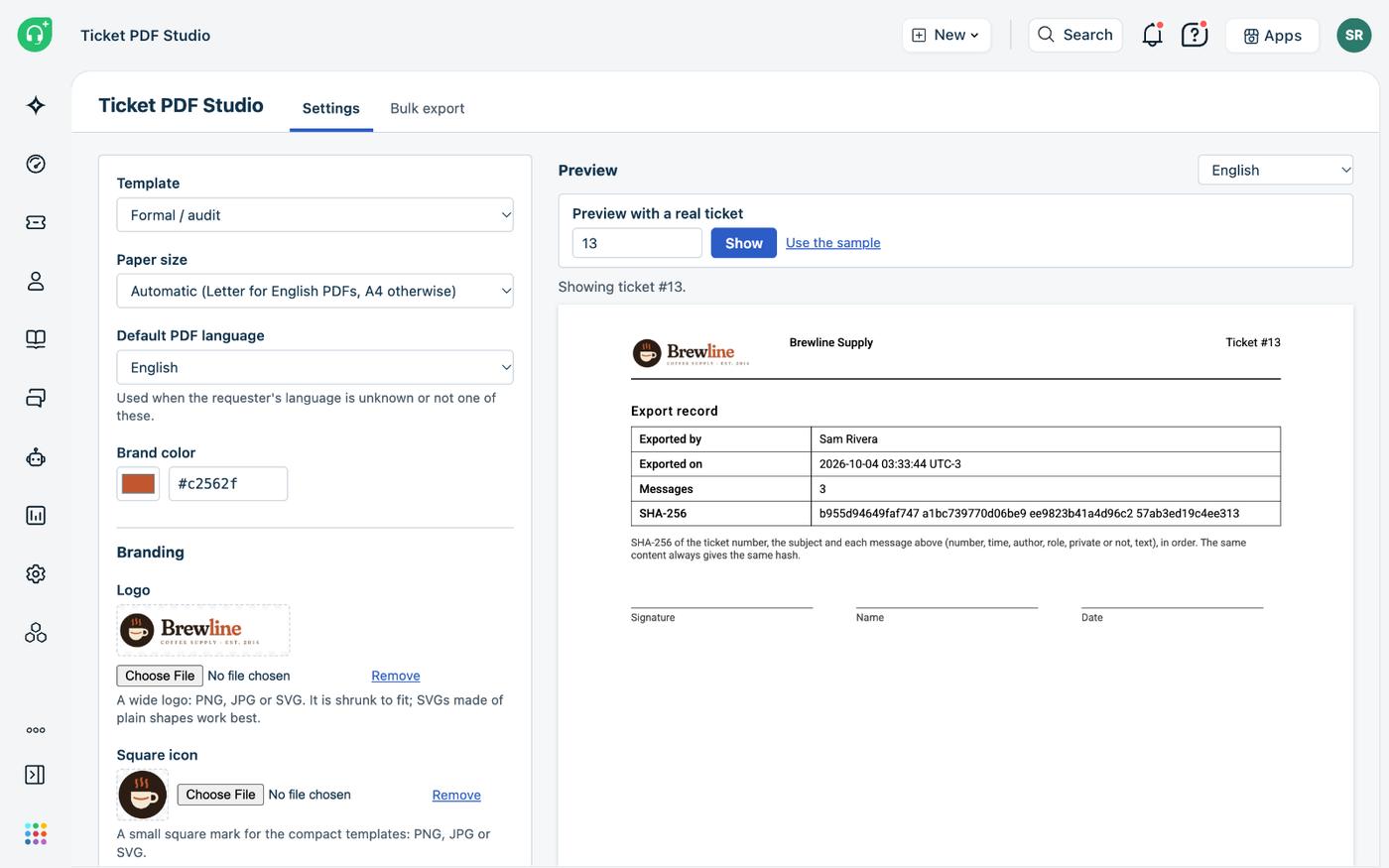
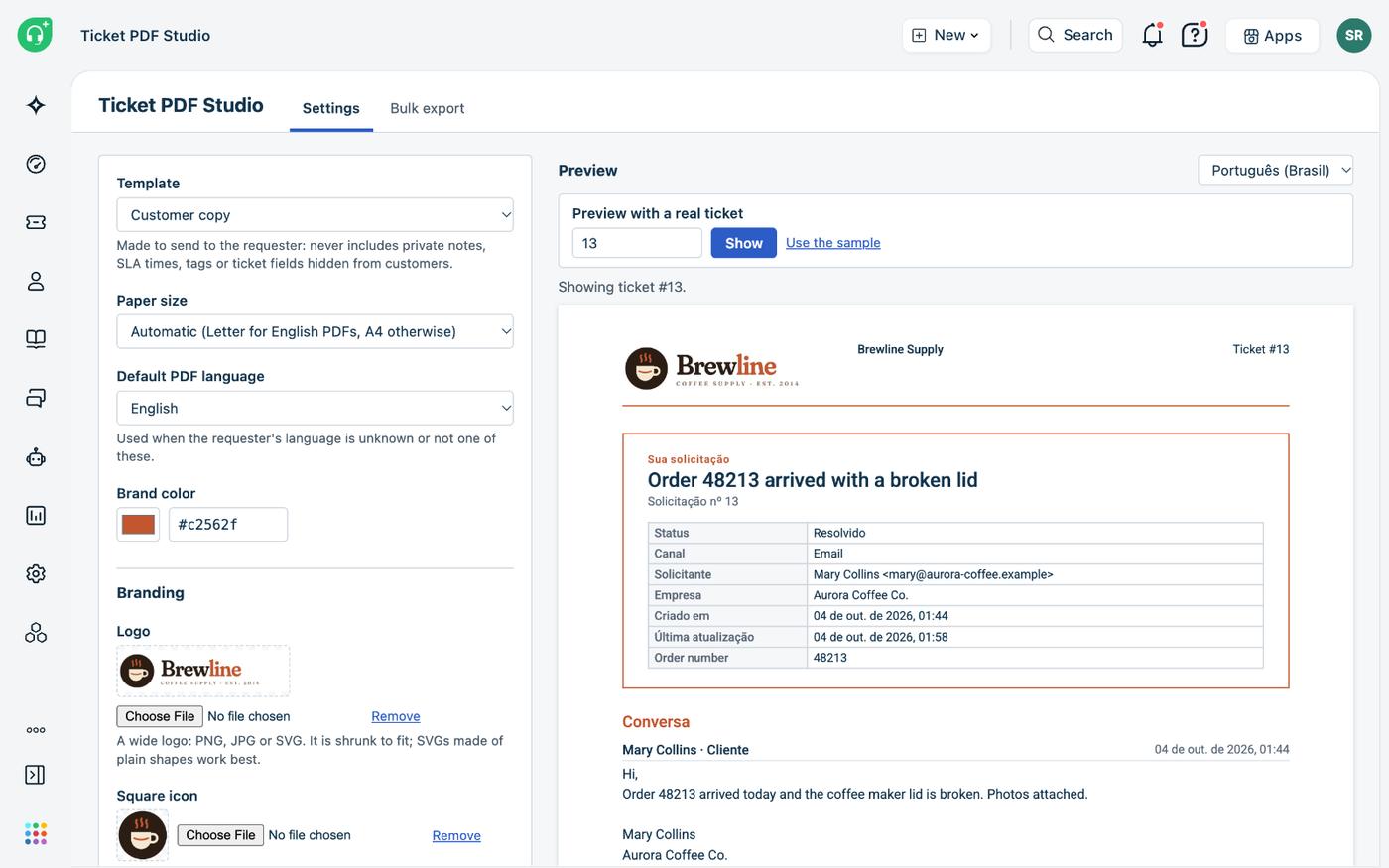
Classic, Modern, Compact, Customer copy, Formal / audit and Timeline. Add your logo, brand colour, header, footer and file name, and see the result in a live preview before saving.
Up to 25 at a time
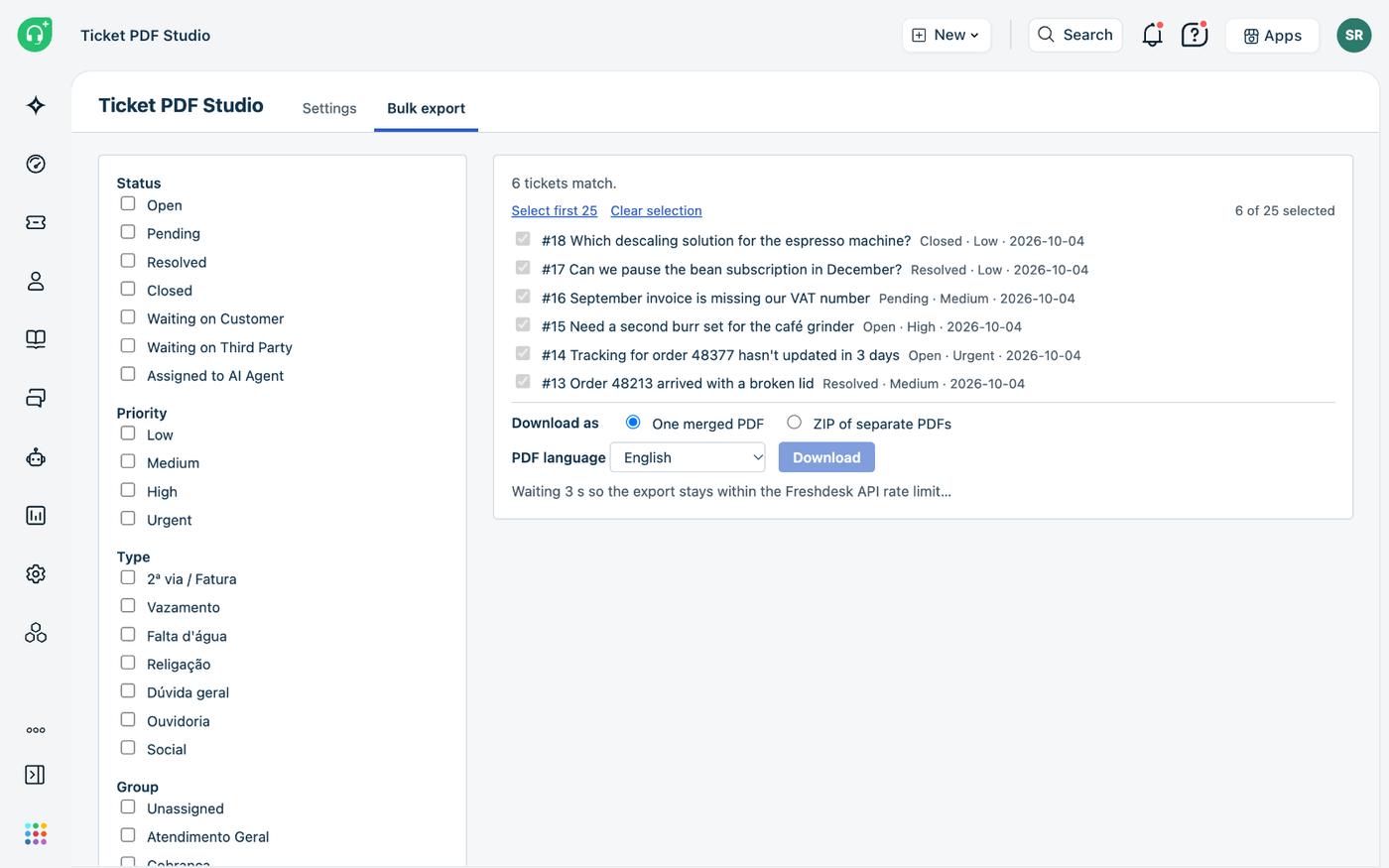
Filter by status, priority, type, group, agent, tags, dates or custom fields, tick the tickets, and get one merged PDF or a ZIP of separate PDFs.
What the admin and the agent see.
Captured in a real Freshdesk account with fictional tickets from a made-up coffee shop: every name, e-mail address and order number below is invented.
For teams that keep being asked for “the ticket as a file”.
A customer wants the history of their complaint. Legal wants the conversation for a dispute. An auditor wants twenty tickets from last quarter. Somebody ends up printing the screen and cropping it. With the app it is a download.
Audits and disputes
The export record says who exported the PDF and when, and its SHA-256 hash changes if a single message is altered, added or removed.
A copy for the customer
The Customer copy template leaves out private notes, SLA times, tags and fields hidden from customers, so you can attach it to a reply as it is.
WhatsApp and web chat
On Freshdesk Omni, messaging tickets export with every message, and the PDF names the channel the way your account names it.
Three languages
The app and the PDF speak English, Portuguese and Spanish. The paper follows too: Letter for English, A4 for the other two, unless you choose.
Only what they can see
Agents export only the tickets they can open in Freshdesk, and the admin chooses who may use bulk export.
A trail on the ticket
Turn on the export note and each download leaves a private note saying who exported it, when and with which template.
Two fields to install.
Get an admin's API key
From an admin who can see every ticket (ticket scope Global access), in Profile settings. No custom fields, forms or automations are needed.
Install
Type the helpdesk domain and paste the key. The page checks the pair before it lets you install, and says what will not work if the key sees only some tickets.
Set the look
Open the app from Freshdesk's left bar, choose the template, paper, language, content, logo and colours, check the preview and save.
Open a ticket
Download PDF is in the right sidebar of every ticket, for every agent.
It works on Freshdesk and on Freshdesk Omni, on any plan with Marketplace apps.
The PDF is made in the browser, and nothing reaches us.
The app has no server of ours and no database of ours. Tickets are read through the Freshworks platform and the PDF is put together in the agent's browser, which downloads it. Ticket data is never sent to Red Lotus or to any other service. The PDF libraries are loaded from jsDelivr as code only, pinned to a version and checked against a hash.
The Freshdesk API key is a secure installation parameter. The Freshworks platform keeps it encrypted, adds it to the request on the server side and never sends it to the browser. The app keeps its settings, logo and icon in its own Freshworks storage, and uninstalling it removes them. The only thing it ever writes to a ticket is the optional export note.
Questions before you install.
How much does it cost?
USD 0.89 per Freshdesk agent per month, with a 30-day free trial. Freshworks does the billing, on your Freshworks account. We never see your payment details.
Does the PDF include images and attachments?
Inline images and image attachments are printed under their message, up to 40 per PDF. Other attachments are listed by name. An image that cannot be loaded becomes a placeholder with its file name, and the PDF is still made.
What does the SHA-256 hash prove?
That the messages in the PDF are the ones the ticket had when it was exported. The same content always gives the same hash, and any change to a message's text, author, time or order gives a different one.
Can an agent export a ticket they cannot see?
No. Wherever the app reads a ticket by number, it checks the agent's own ticket scope first, and a hidden ticket gets the same answer as one that does not exist.
Will bulk export slow my team down?
Only one bulk export runs per account at a time, and it reads Freshdesk's rate-limit headers to use at most half of the minute's budget once it gets busy, so agents keep working normally.
Where do I get it?
It is on its way to the Freshworks Marketplace. Until it is listed, talk to us and we install it in your account as a custom app.
Every ticket, ready to share.
We install it, set up your template and branding and show your team where the button is. Come talk to us.
Back to all solutions