Every ticket on the map, on the exact spot.
PinPoint is our own Freshdesk app. Inside the ticket, the agent searches an address and drags the pin until it sits on the right gate. The latitude and longitude are saved into ticket fields that belong to you. Whoever dispatches opens the PinPoint map from the left navigation bar and sees the whole queue at once, clustered by area and coloured by priority.
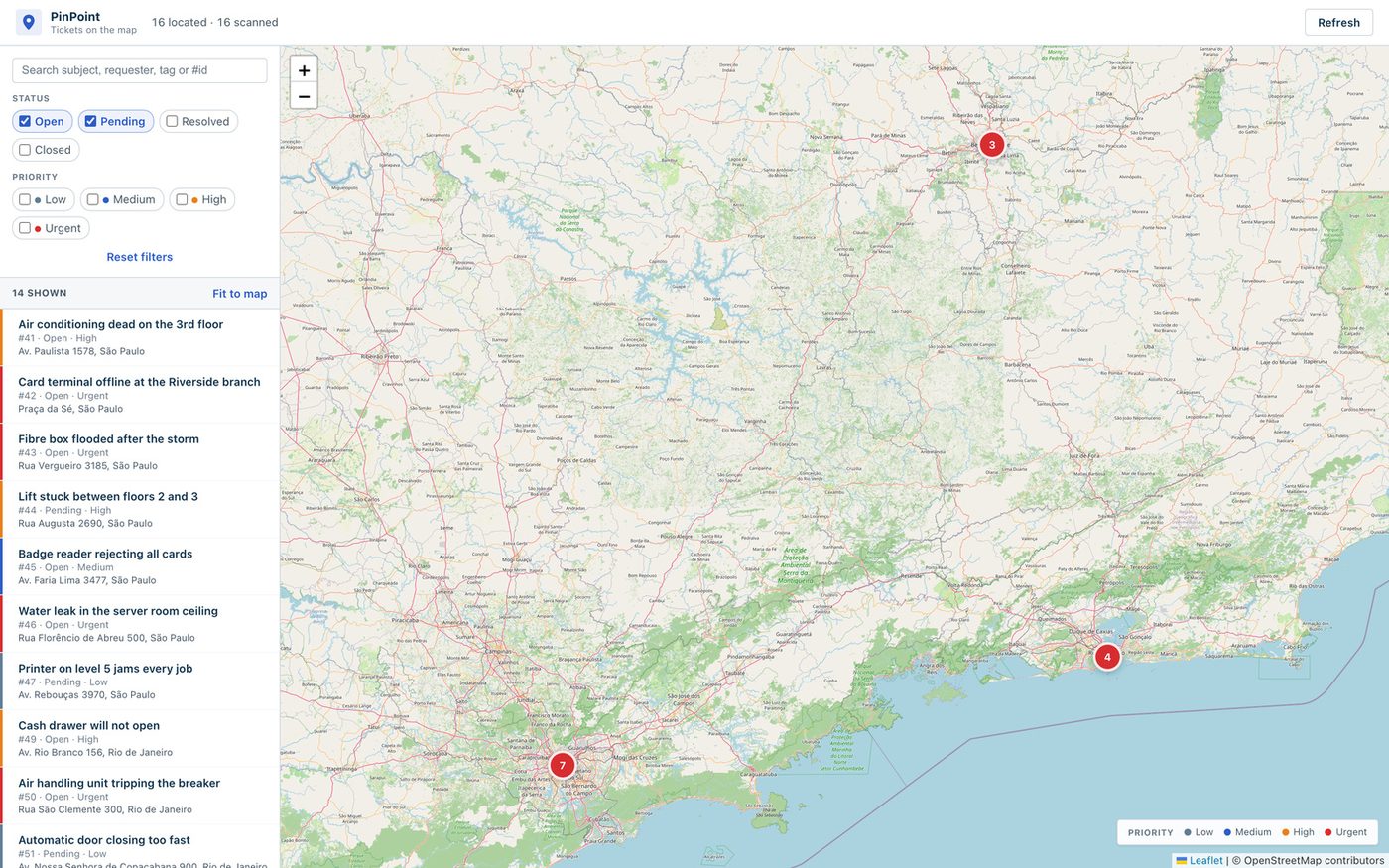
Two screens, and the coordinates stay in your Freshdesk.
PinPoint lives in two places inside Freshdesk. What it saves goes into ordinary ticket fields, which means the rest of Freshdesk can use it.
In the ticket
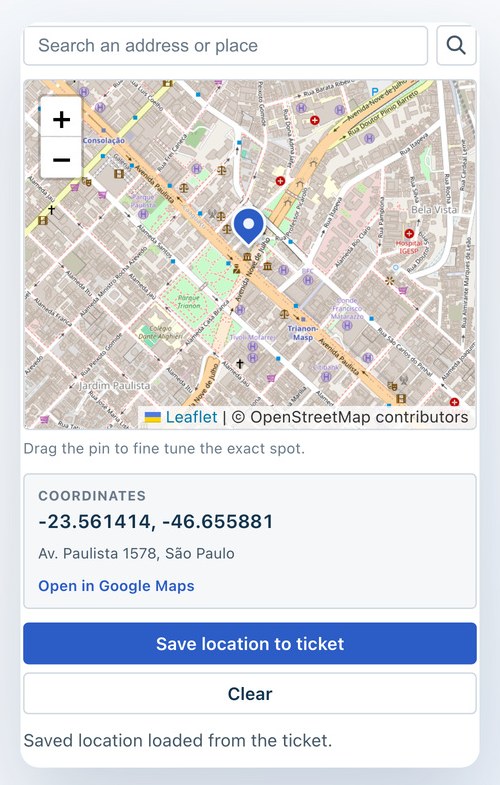
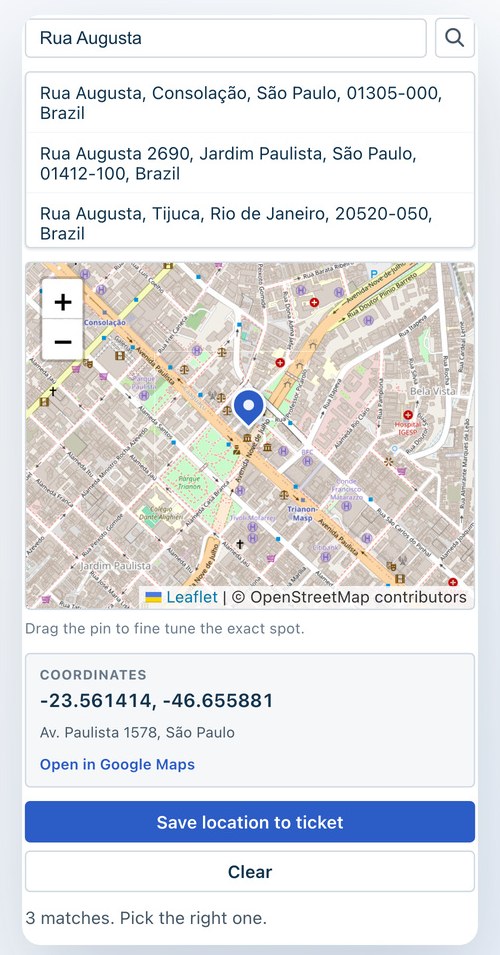
The PinPoint panel opens in the ticket sidebar. The agent types an address, picks the right match from the list, and drags the pin onto the exact spot. One click saves it.
On the map
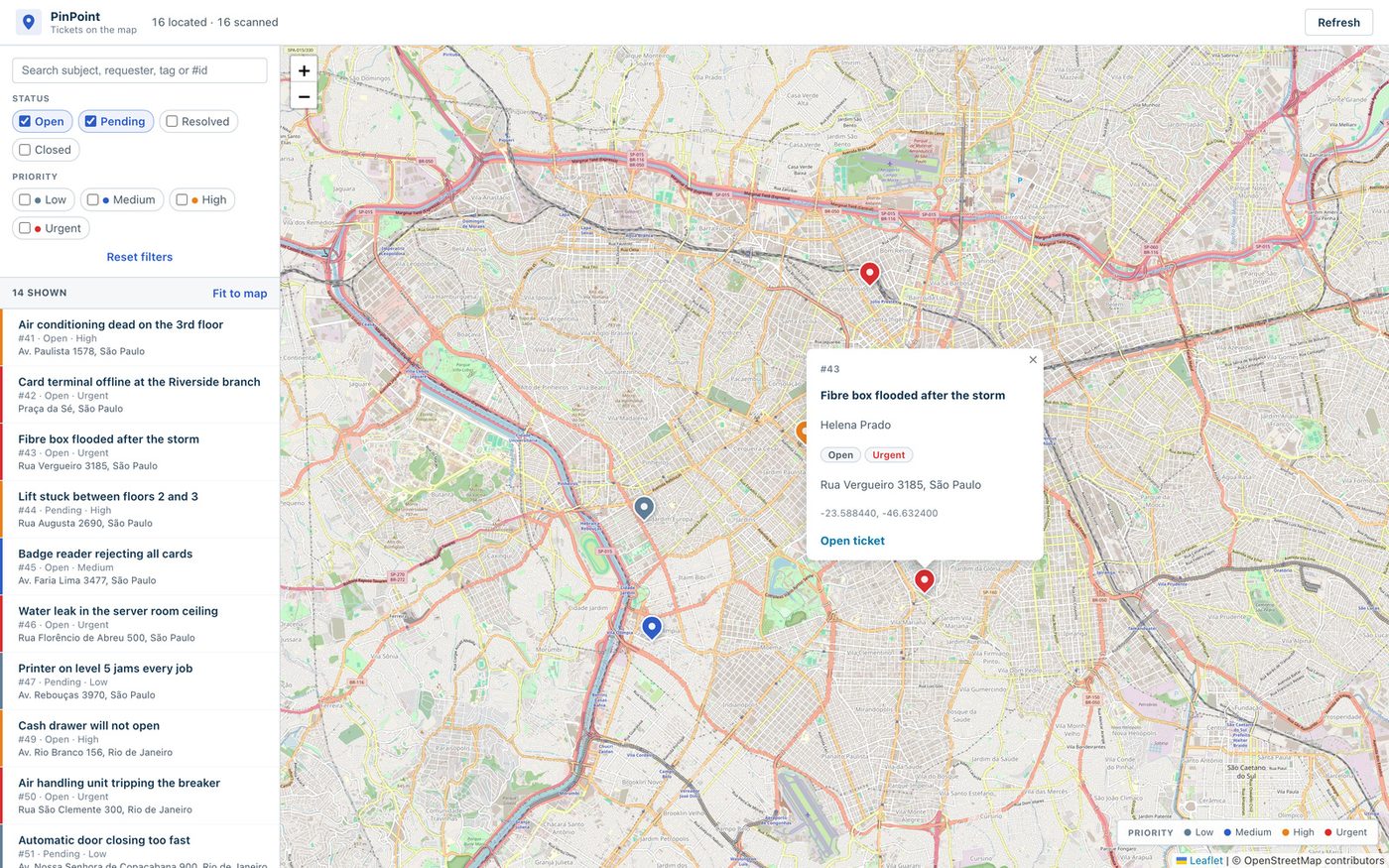
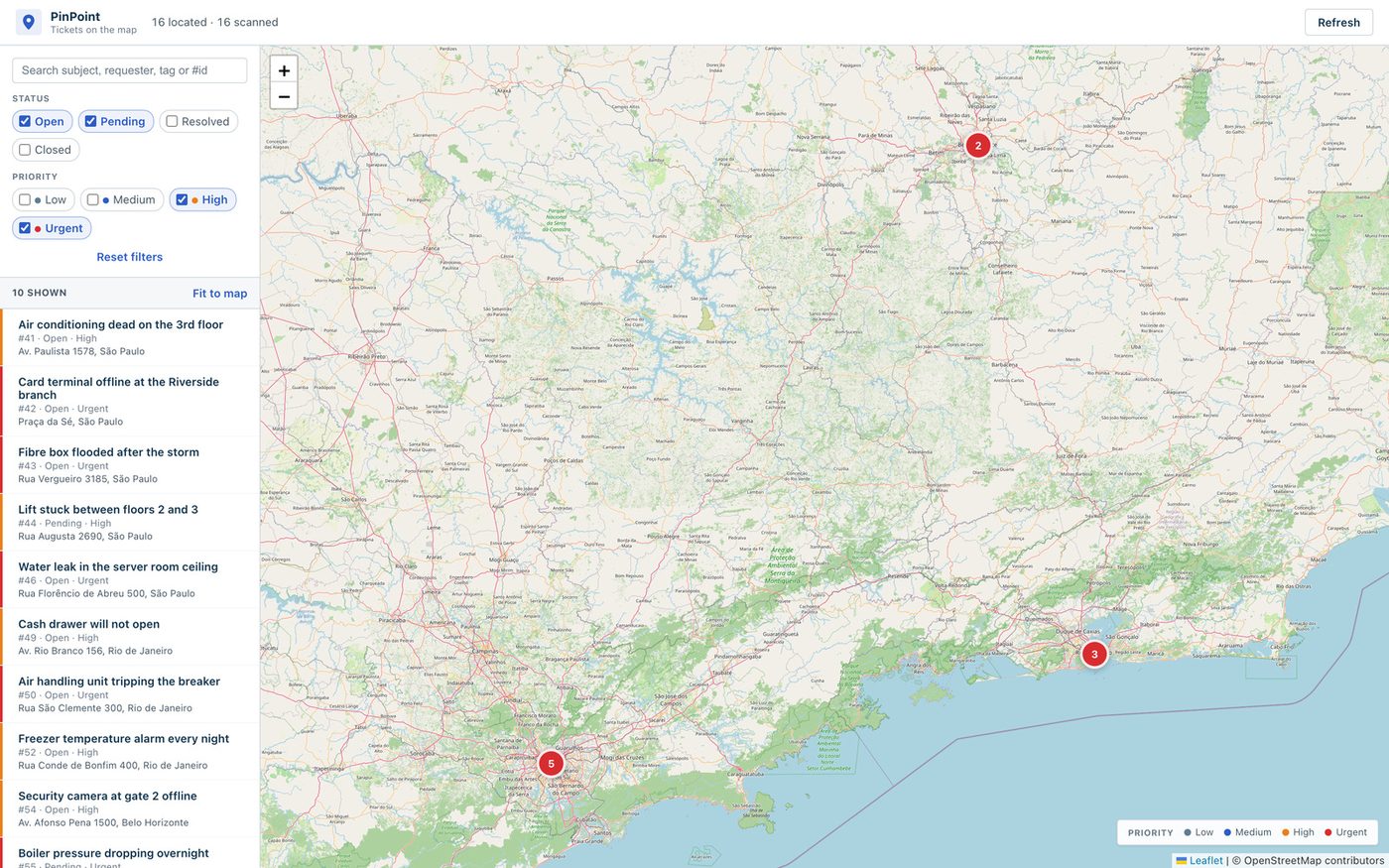
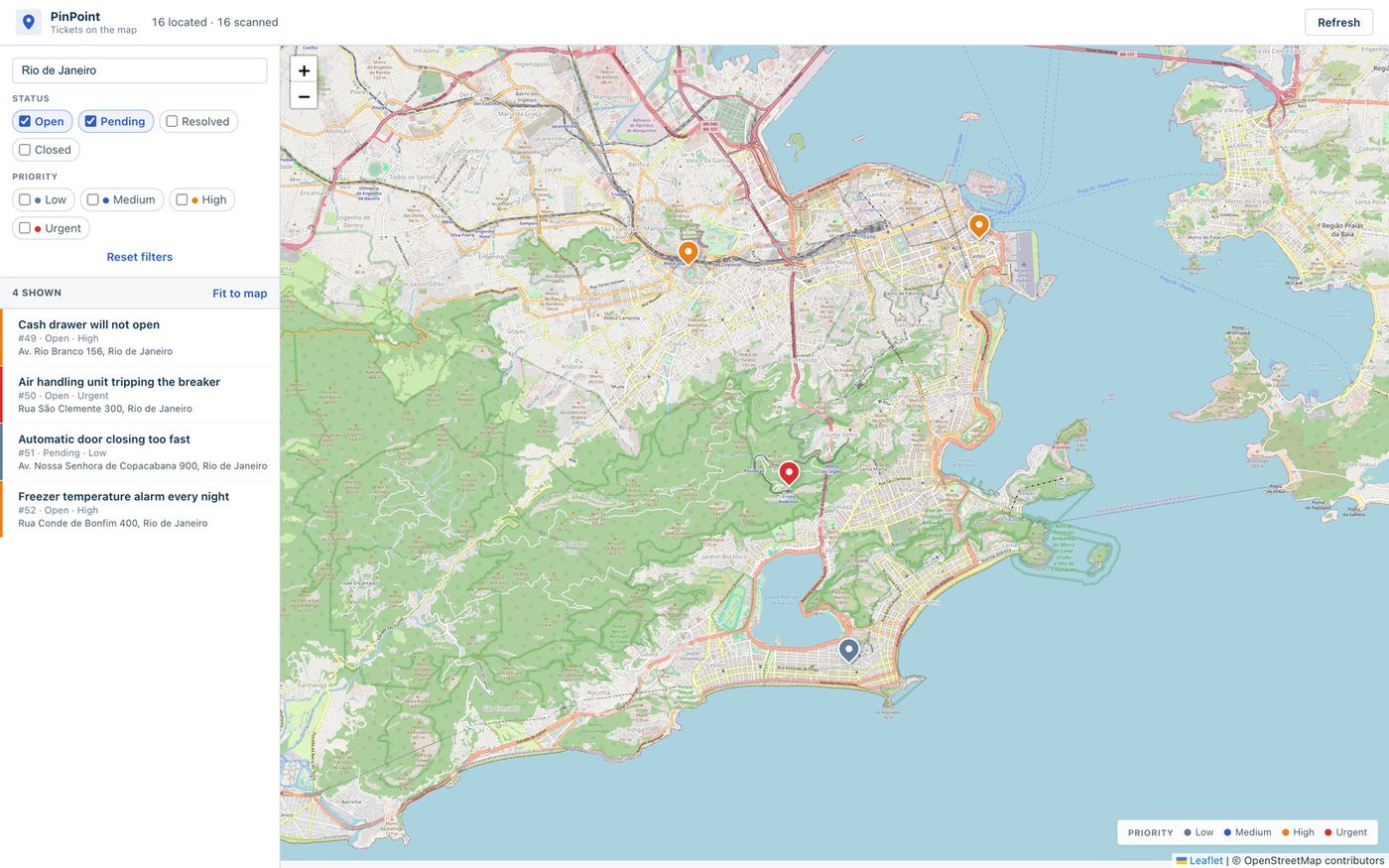
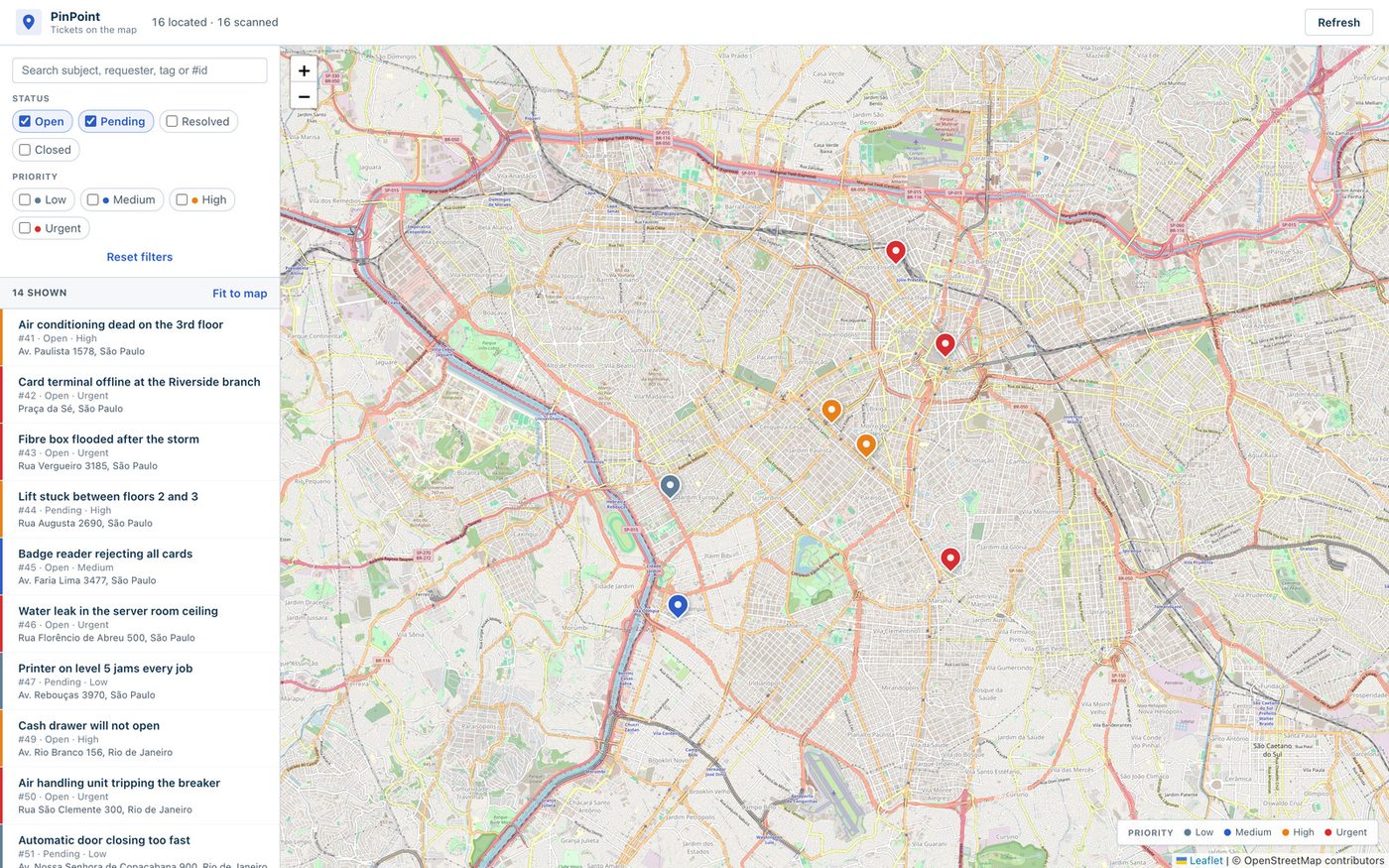
The full-page map opens from the left navigation bar. Every ticket that has coordinates shows up there, grouped into clusters when you are far away, pin by pin as you zoom in.
In your own fields
Latitude and longitude are written to plain single line text fields on the ticket. Views, filters, automations, exports and reports can all read location from then on.
The map and the panel, up close.
Screenshots from a Freshdesk account with a real queue on it: sixteen located tickets spread across three cities, a mix of priorities and statuses.
Teams whose tickets happen at a place.
If your tickets carry an address, someone on your team is already copying that address into WhatsApp and opening Google Maps in another tab. PinPoint puts that address on the map without leaving Freshdesk.
Field service and repair
A technician per region, an address per ticket. Seeing three open tickets two blocks apart is the difference between one trip and three.
Facilities and property
Lots of buildings and wings in one ticket queue. The pin lands on the right wing, not on the street the building is registered at.
Installation and maintenance
The equipment sits at a place that no address describes well: a gate, a cabinet, a pole. Drag the pin and the exact spot is on the ticket.
Utilities and telecom
When a fibre box floods or a transformer blows, the first question is where. Clustered pins show where the storm hit.
Logistics and last mile
Delivery complaints spread over a city. The map turns a list of addresses into a route someone can plan.
Retail chains
Hundreds of branches supported by one help desk. Filter by priority and you see which regions are on fire right now.
Setup: about five minutes.
Create two ticket fields
Latitude and Longitude, both single line text. A Number field rounds the decimals and destroys the precision of a coordinate.
Copy an API key
From an agent who may view and update tickets. The key is a secure installation parameter: Freshworks encrypts it, uses it server-side, and it never reaches the browser.
Install and configure
PinPoint is published on the Freshworks Marketplace. Install it from there and set the field names, the map centre and zoom it opens at, how many days back the map scans, the ticket cap, the tile provider and the geocoding host. Every external service can be pointed at your own infrastructure.
Pin your first ticket
Open a ticket, search the address, drag, save. Click the PinPoint icon in the left navigation bar and it is already on the map.
PinPoint needs a Freshdesk plan with ticket custom fields and API access, which means Growth or above. A Free account cannot create the fields the app writes to.
There is no PinPoint server.
PinPoint has no backend, database or telemetry. The app runs inside your Freshdesk account and writes only to the fields you created. We publish it and we cannot see your tickets, your coordinates or your API key.
Drawing a map does need two outside services. Geocoding, which by default is the OpenStreetMap Nominatim service and receives nothing but the address text, server-side. And map tiles, by default from OpenStreetMap. Both are settings, so an account that cannot send addresses to a public service points PinPoint at its own instances and nothing leaves.
Ticket text is HTML-escaped before it reaches a map popup, every outbound call goes through a declared request template, and the Leaflet libraries load from a CDN with pinned integrity hashes.
Common questions.
Is PinPoint free?
The app is free. The cost is indirect: every map refresh spends Freshdesk API calls, about 31 credits with the defaults of a 30 day window and a cap of 1000 tickets. On a busy account, narrow the window or lower the cap.
Do I need an account with a map provider?
Not with the defaults, which use OpenStreetMap. For a large team, the OSM usage policy does not allow heavy automated traffic, so it is worth paying a tile provider and pasting its URL template into the settings. The same goes for geocoding at volume.
Where do the coordinates live?
In text fields on your tickets, inside your account. Uninstall the app and the values stay put, on your tickets.
Does it work on Freshservice or Freshsales?
Today it is Freshdesk. The platform underneath is the same, so a port is real work, though the app doesn't have to be written again from scratch. If that is what you need, tell us.
What if the address is not on the map?
Rural addresses are often missing from OpenStreetMap. The agent searches whatever the geocoder does know, drags the pin to the right place and saves.
How do I get it installed?
Talk to us and we install it in your account, create the fields, configure the settings with you and walk your agents through it. We are an authorized Freshworks partner, so the Freshdesk side is our day job too.
Can it be customised?
Yes. We wrote it, so another field, another filter or a link to your asset database becomes a scoped project.
Put your queue on the map.
We install it, configure it and show your team how it works. Come talk to us.
Back to all solutions